
A computer keyboard is usually one of the cheapest accessories on a desk. Basic models can cost less than $20, yet some gaming keyboards now sell for more than $250. The question many people ask is simple:
What could possibly make a keyboard worth that much?
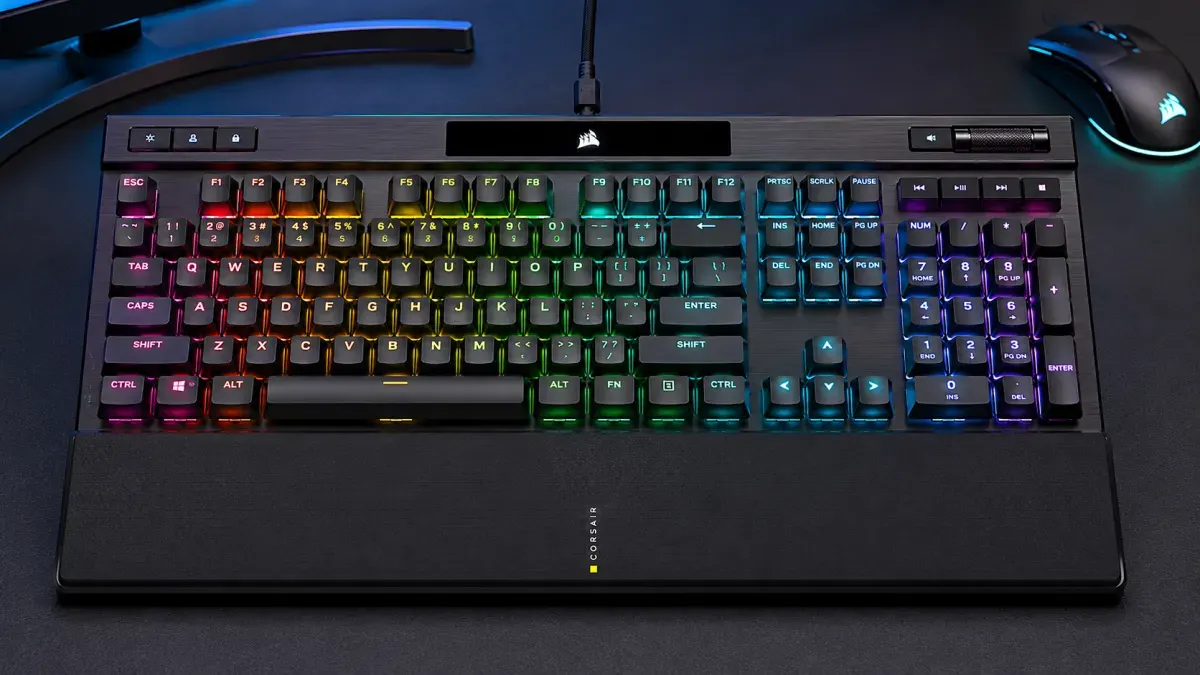
One of the most talked-about examples is the Corsair K70 RGB PRO, a mechanical gaming keyboard designed for professional gamers, streamers, and enthusiasts. While it looks similar to ordinary keyboards at first glance, the technology inside tells a different story.
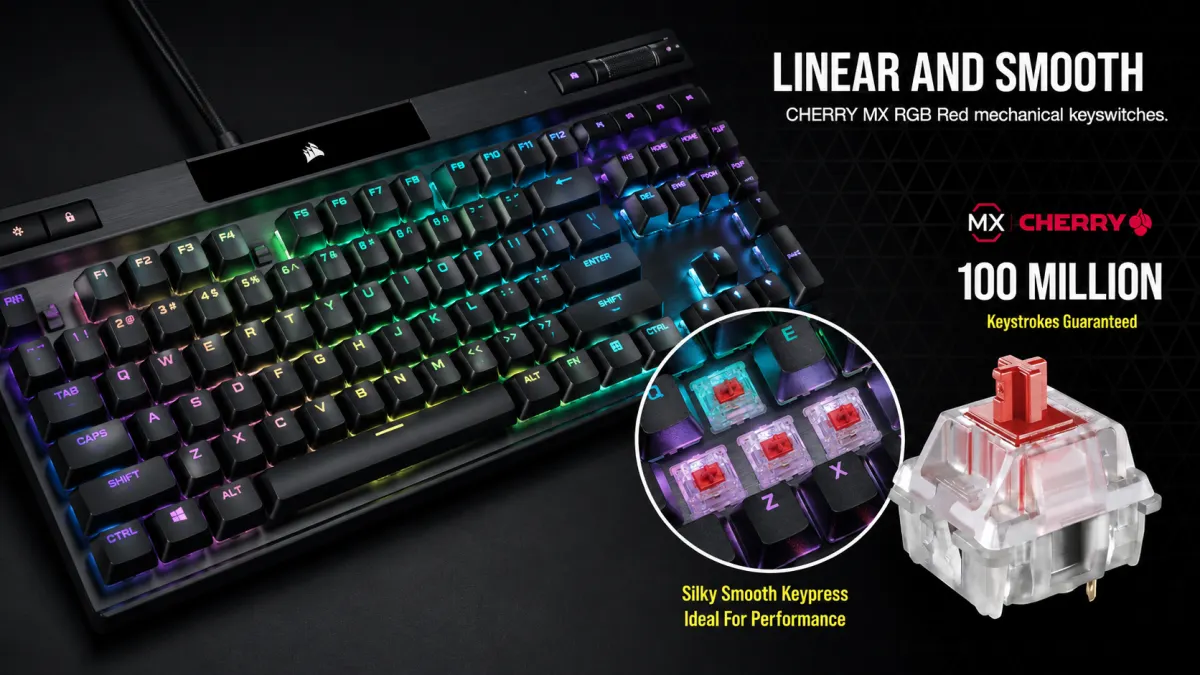
The Hidden Difference: Mechanical Switches
Most budget keyboards use membrane technology, where a rubber layer registers each keypress. Premium keyboards like the K70 RGB PRO use mechanical switches instead.
These switches are engineered for:
- Faster response times
- Greater durability
- More consistent key presses
- Improved typing accuracy
The Cherry MX Red switches used in the keyboard are rated for around 100 million keystrokes, far beyond the lifespan of many standard office keyboards.
15 Best JBL Speakers in 2026 — Tested & Ranked for Every Budget
An 8,000Hz Polling Rate: Faster Than Most Keyboards
Perhaps the most surprising specification is the keyboard's 8,000Hz polling rate.
Most keyboards communicate with a computer 125 to 1,000 times per second. The K70 RGB PRO can report key presses 8,000 times per second.
In theory, this reduces input delay to just 0.125 milliseconds.
For competitive gamers playing titles such as Valorant, Counter-Strike 2, or Call of Duty, even tiny reductions in latency can matter.
Aircraft-Grade Aluminum Construction
Another major contributor to the price is the chassis.
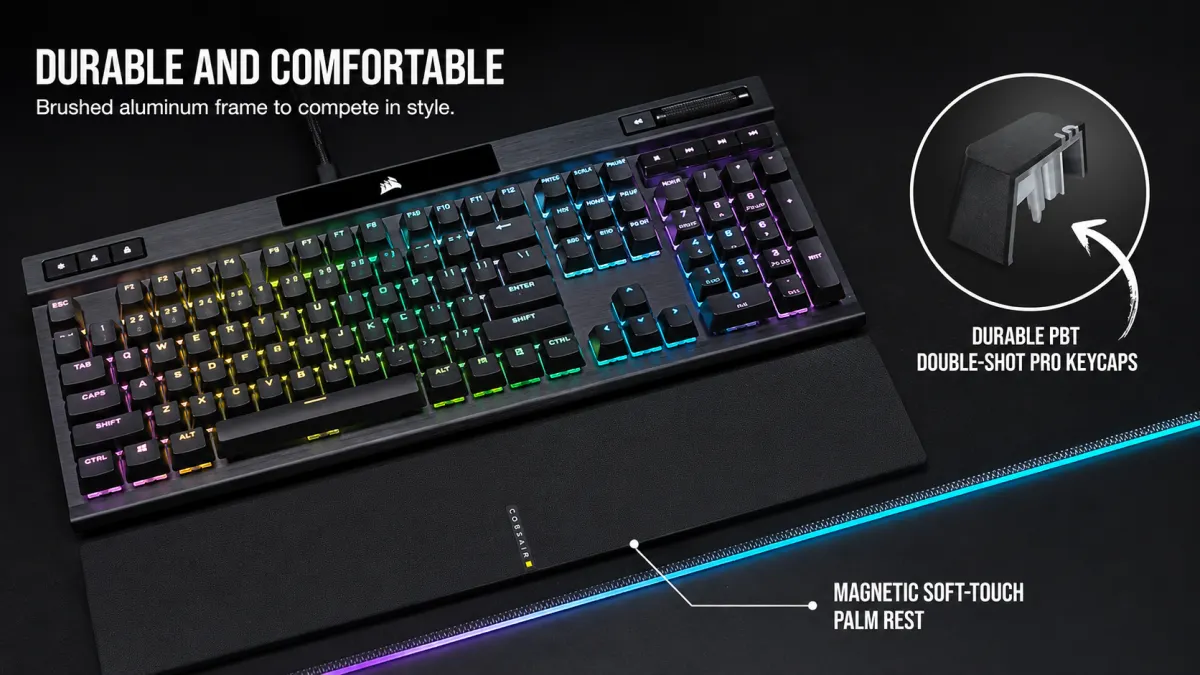
Instead of relying entirely on plastic, the keyboard uses a brushed aluminum frame similar to materials used in aerospace manufacturing.
Benefits include:
- Increased rigidity
- Longer lifespan
- Reduced flex during intense use
- Premium feel
This type of construction is significantly more expensive than conventional plastic designs.
Keycaps Designed to Last for Years
Many inexpensive keyboards develop shiny, worn-out keys after prolonged use.
The K70 RGB PRO uses double-shot PBT keycaps, which are thicker and more resistant to wear, heat, and oil from fingertips.
The legends are molded into the plastic rather than printed on top, meaning they are unlikely to fade over time.
RGB Lighting Is More Complex Than It Looks
Modern gaming keyboards contain dozens of individually addressable LEDs.
The K70 RGB PRO allows each key to display different colors and effects, synchronized through Corsair's software ecosystem.
What appears to be decorative lighting actually requires additional hardware, firmware, and software development.
Why Gamers Are Willing to Pay More
The global gaming industry has evolved into a competitive ecosystem where hardware performance is heavily scrutinized.
Professional esports players often invest in:
- High-refresh-rate monitors
- Lightweight gaming mice
- Mechanical keyboards
- Low-latency audio equipment
For these users, a keyboard is not just a typing tool. It is part of a performance setup.
Is It Really Worth the Price?
For casual users who browse the web, watch videos, and write emails, a premium gaming keyboard may offer little practical advantage.
However, for gamers, content creators, programmers, and enthusiasts who spend thousands of hours at a keyboard each year, durability, responsiveness, and comfort can justify the investment.
The real reason some keyboards cost hundreds of dollars is not because they have more keys. It is because they combine advanced switches, premium materials, ultra-fast communication technology, and specialized engineering into a device used every day.
And that is why a keyboard can sometimes cost more than an entry-level laptop.
Top 15 Most Expensive Gaming Keyboards for Serious Gamers in 2026
| Rank | Keyboard Model | Approximate Price (USD) |
|---|---|---|
| 1 | Keycult No.1 Custom Build | $1,500 – $3,000 |
| 2 | Angry Miao Cyberboard | $700 – $1,500 |
| 3 | Angry Miao AM Compact Touch | $600 – $1,200 |
| 4 | ASUS ROG Azoth Extreme Edition 20 | $600 |
| 5 | ASUS ROG Azoth Extreme | $500 – $550 |
| 6 | Finalmouse Centerpiece | $350 – $500 |
| 7 | Wooting 80HE Zinc Alloy | $350 – $450 |
| 8 | SteelSeries Apex Pro Gen 3 | $300 – $400 |
| 9 | Razer Huntsman V3 Pro | $300 – $400 |
| 10 | ASUS ROG Azoth 96 HE | $300 – $350 |
| 11 | Corsair K100 Air Wireless | $280 – $350 |
| 12 | Logitech G915 X Lightspeed | $250 – $320 |
| 13 | GravaStar Mercury K1 Pro | $250 – $350 |
| 14 | Glorious GMMK Pro Custom Build | $300 – $700 |
| 15 | Ducky One 3 Custom Edition | $250 – $500 |