
 17 November 2026
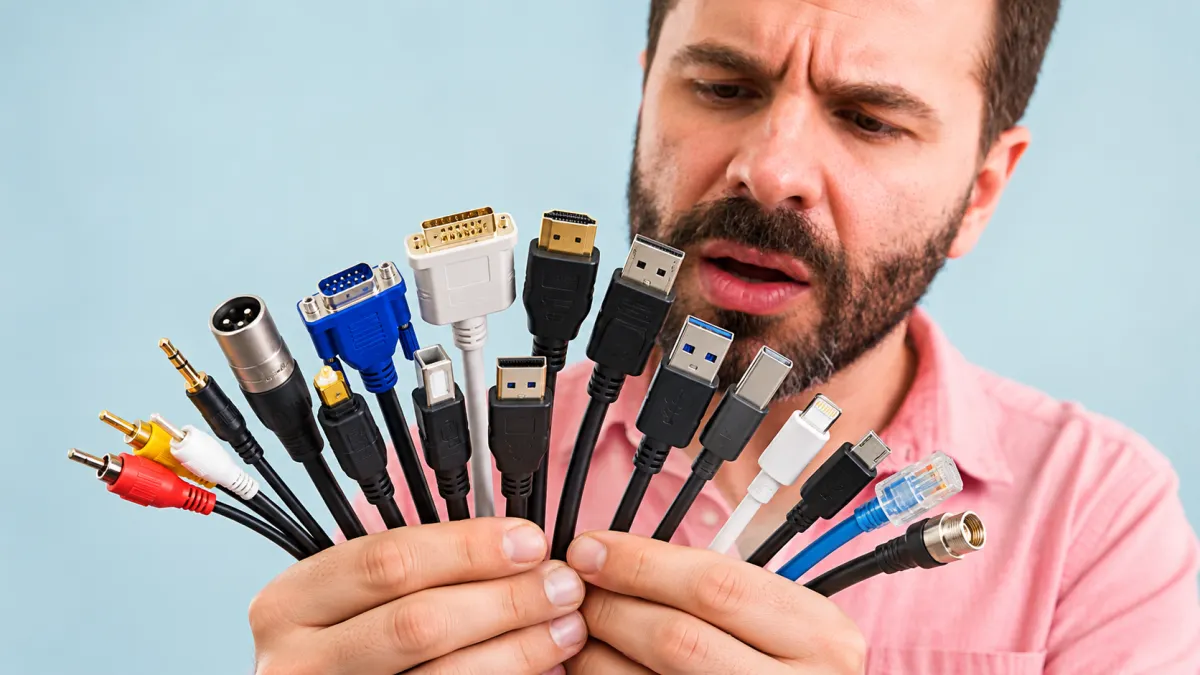
From charging smartphones to connecting televisions, computers, speakers, and gaming consoles, cables play an essential role in our everyday lives. But not all cables do the same job. Some transfer data, others carry audio and video signals, while many are designed to deliver power. From familiar USB-C and HDMI cables to less familiar connections like XLR, SATA, and FireWire, here are 25 types of cables and what they are actually used for.
How to Identify the Right Cable for Your Device
Not All Sports Balls Are Round! Meet 25 Fascinating Examples
Detailed Reviews
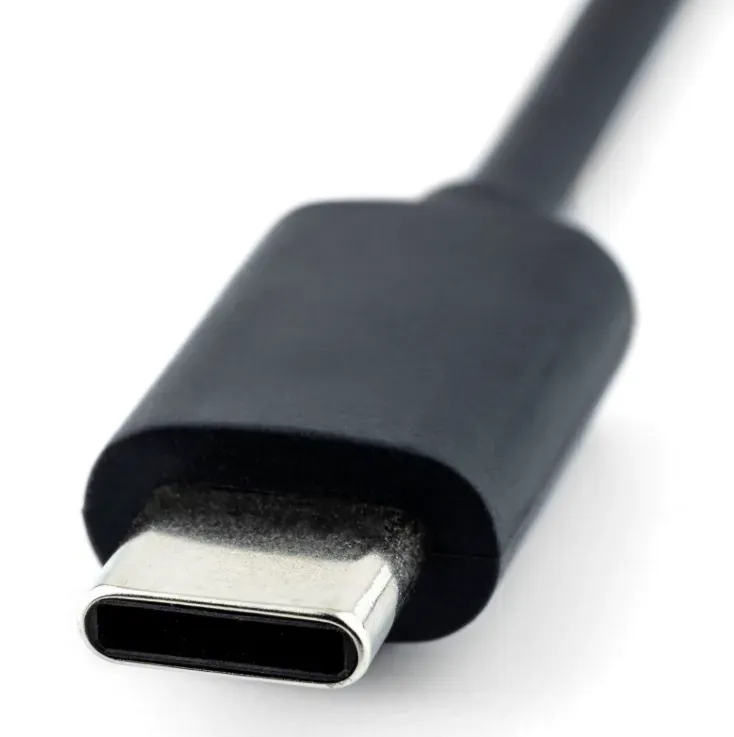
USB-C Cable
Best for: Modern Charging and Data Transfer
USB-C is a widely used connector found on modern smartphones, tablets, laptops, and other electronic devices. Depending on the cable and device, it can support charging, data transfer, and video output.
- Reversible Connector
- Compact Design
- Charging Support
- Data Transfer
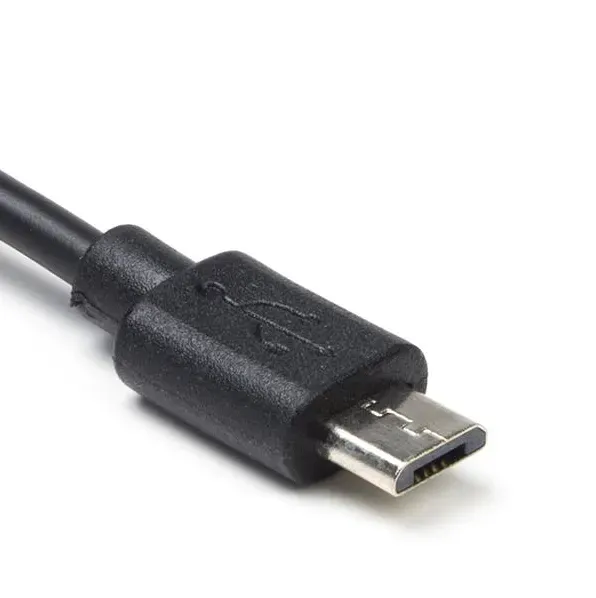
Micro-USB Cable
Best for: Older Mobile Devices and Accessories
Micro-USB was widely used in older smartphones, Bluetooth speakers, cameras, and portable accessories. Although largely replaced by USB-C, it remains common in many older electronic devices.
- Small Connector
- Asymmetrical Design
- Charging Support
- Data Transfer
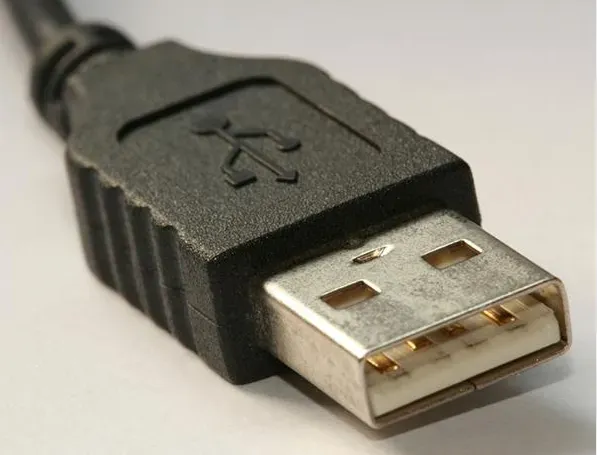
USB-A Cable
Best for: Connecting Everyday Peripherals
USB-A is the familiar rectangular USB connector found on computers, chargers, and many accessories. It is commonly used to connect keyboards, mice, flash drives, and other peripherals.
- Rectangular Connector
- One-Way Insertion
- Peripheral Connectivity
- Widely Compatible
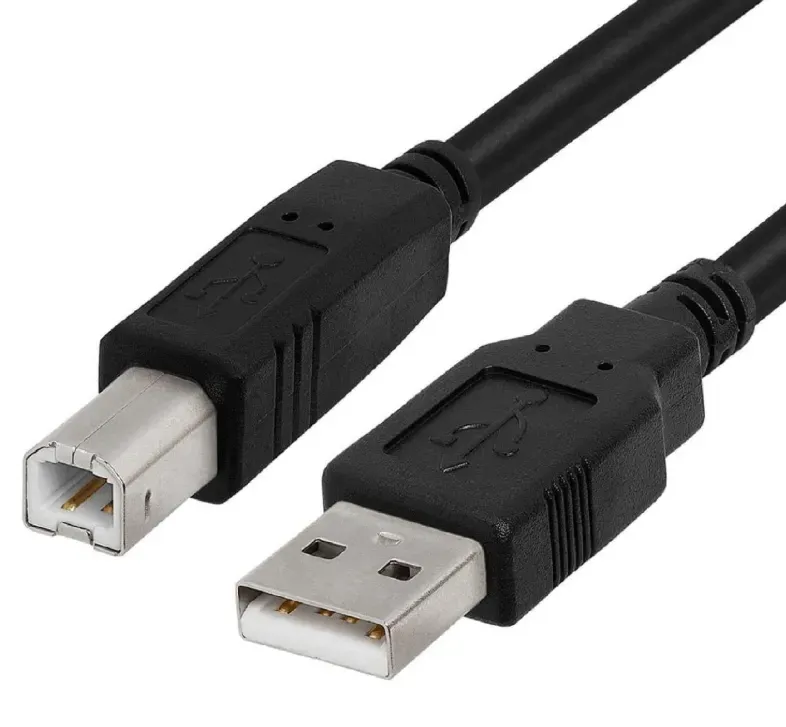
USB-B Cable
Best for: Printers and Desktop Equipment
USB-B is commonly found on printers, scanners, and some professional audio devices. Its distinctive nearly square connector is designed to connect peripherals to a computer.
- Square Connector
- Peripheral Connection
- Durable Design
- Data Transfer
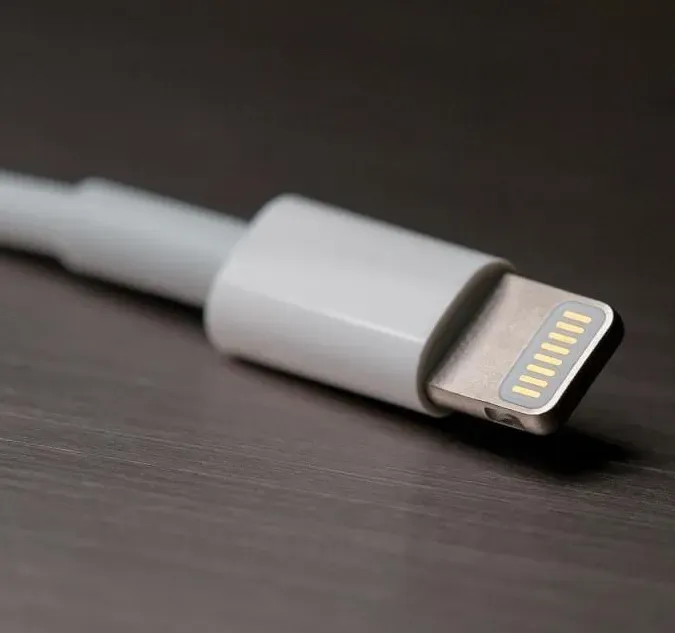
Lightning Cable
Best for: Older Apple Devices
Lightning is Apple's proprietary connector used on many older iPhones, iPads, and accessories. It supports charging and data transfer, although newer Apple devices have increasingly moved to USB-C.
- Compact Connector
- Reversible Design
- Apple Device Compatibility
- Charging and Data
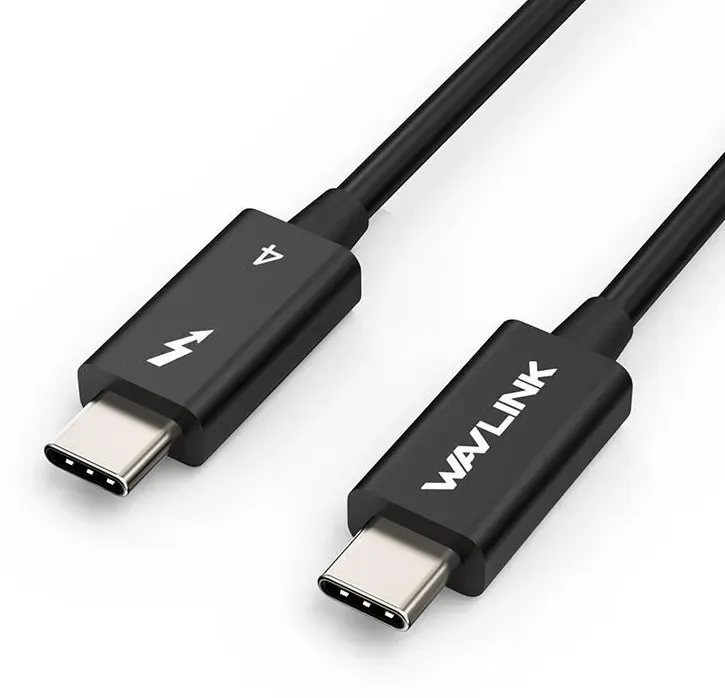
Thunderbolt Cable
Best for: High-Speed Professional Connections
Thunderbolt cables connect compatible computers to high-speed storage devices, docking stations, and external displays. Depending on the generation, they can support fast data transfer, video output, and power delivery.
- High-Speed Data
- Display Support
- Power Delivery
- USB-C Connector on Modern Versions
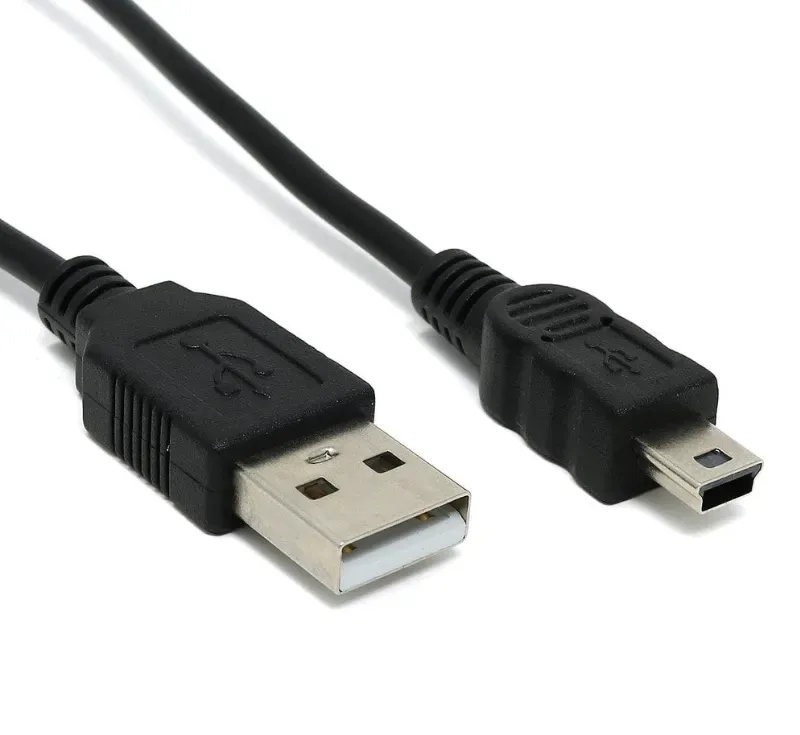
Mini-USB Cable
Best for: Legacy Cameras and Electronics
Mini-USB is an older connector that was commonly used in digital cameras, MP3 players, and portable electronics before Micro-USB became more popular.
- Compact Connector
- Trapezoidal Shape
- Legacy Device Support
- Charging and Data
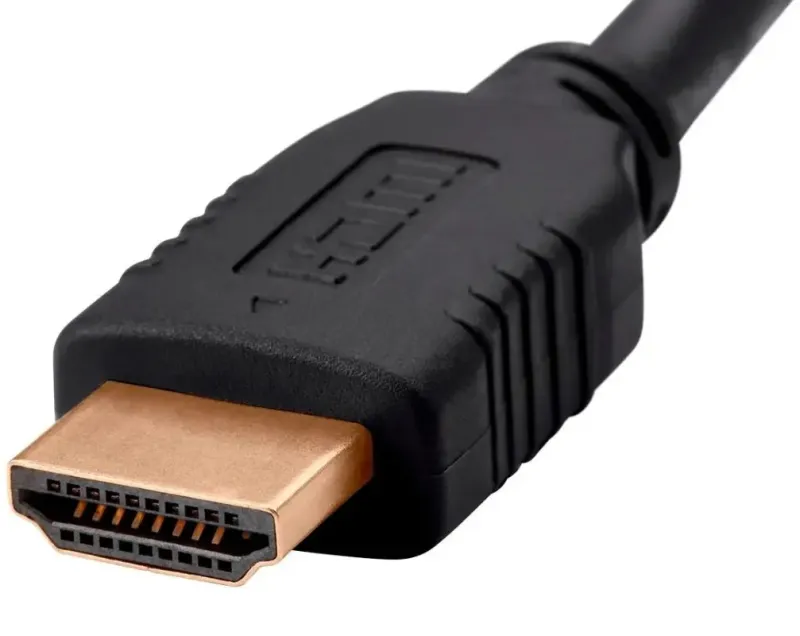
HDMI Cable
Best for: Connecting TVs and Displays
HDMI cables transmit digital video and audio through a single connection. They are widely used with televisions, gaming consoles, laptops, monitors, and home theater systems.
- Digital Video
- Digital Audio
- Multiple Resolutions
- Consumer Electronics Compatibility
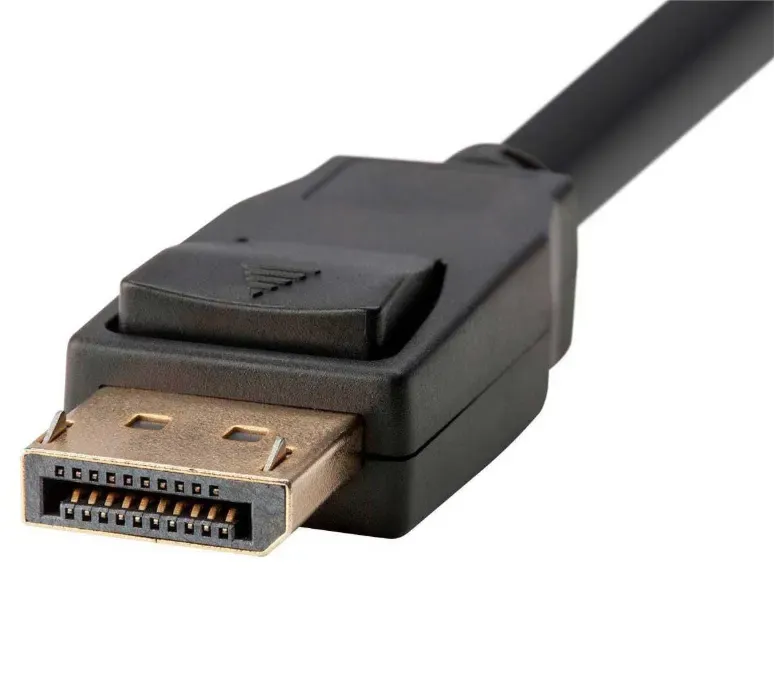
DisplayPort Cable
Best for: High-Resolution Computer Displays
DisplayPort is a digital display interface commonly used to connect desktop computers and graphics cards to monitors. It supports high resolutions and refresh rates on compatible equipment.
- Digital Video
- High Refresh Rate Support
- Multi-Display Capabilities
- Locking Connector on Many Models
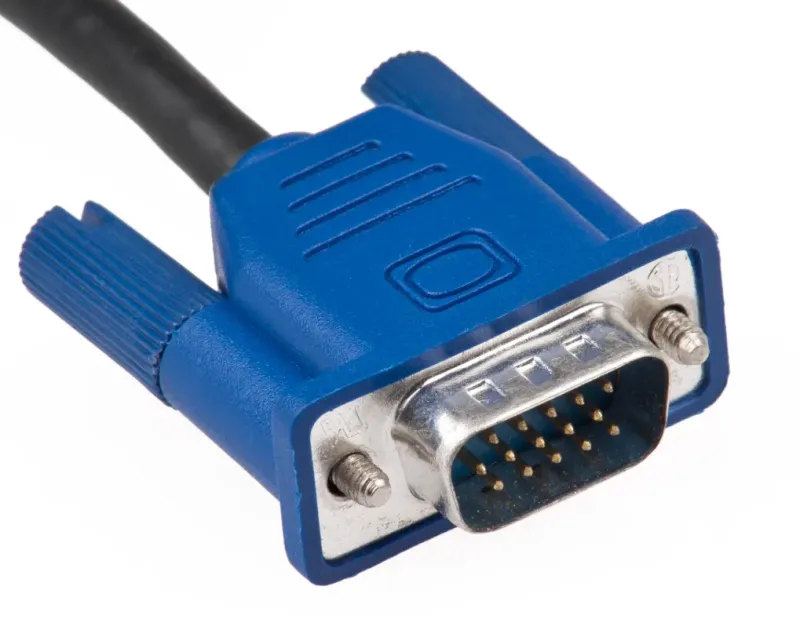
VGA Cable
Best for: Older Monitors and Projectors
VGA is an older analog video connection recognizable by its blue 15-pin connector. It was widely used for connecting desktop computers, laptops, monitors, and projectors.
- 15-Pin Connector
- Analog Signal
- Blue Connector on Many Models
- Video Only
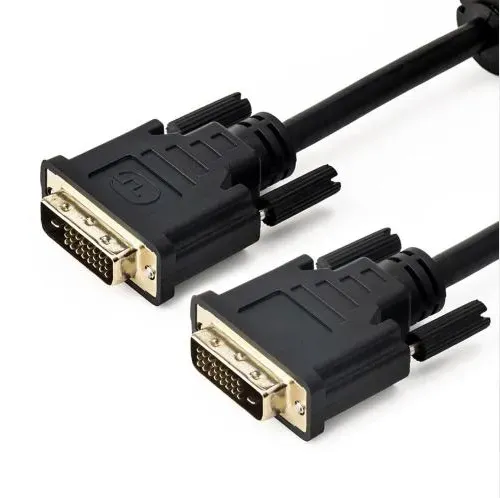
DVI Cable
Best for: Older Computer Displays
DVI is a video interface used on many older desktop computers and monitors. Depending on its type, it can carry digital signals, analog signals, or both.
- Multiple Connector Types
- Digital or Analog Signal
- Screw-Lock Design
- Video Transmission
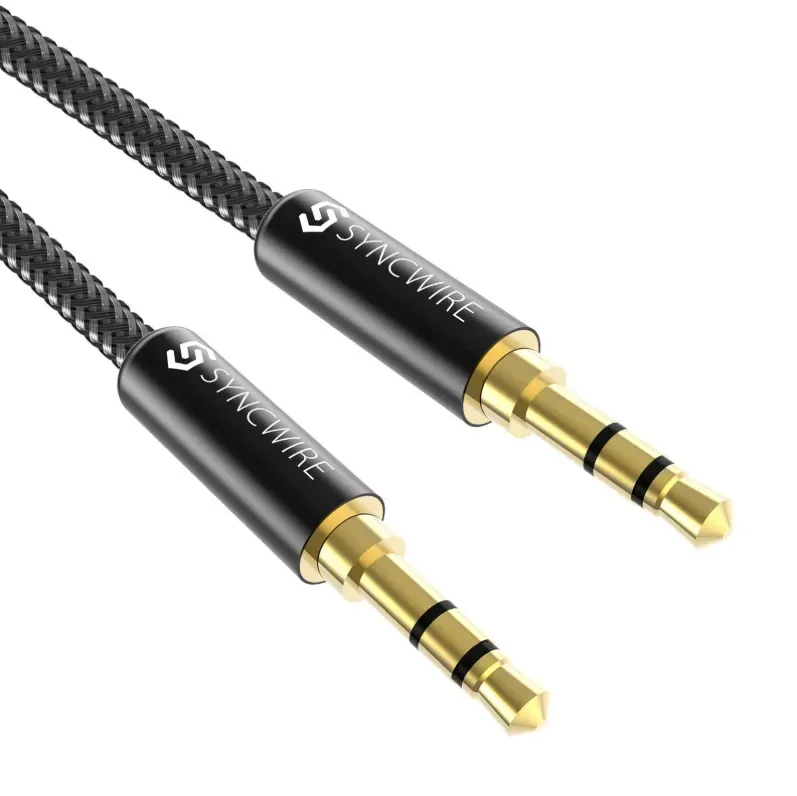
3.5mm AUX Cable
Best for: Wired Headphones and Speakers
The 3.5mm AUX cable is a familiar audio connection used with headphones, speakers, car stereos, and other devices. It carries analog audio between compatible equipment.
- 3.5mm Audio Jack
- Analog Sound
- Compact Connector
- Stereo Audio Support
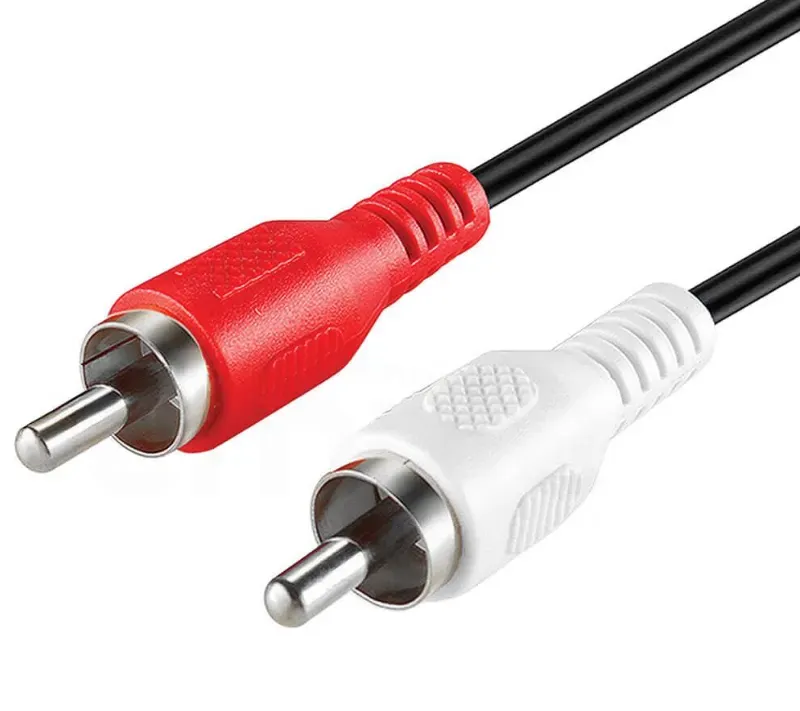
RCA Cable
Best for: Traditional Audio and Video Equipment
RCA cables use round pin connectors, commonly color-coded red and white for stereo audio and yellow for composite video. They are frequently found on older televisions and audio systems.
- RCA Pin Connectors
- Color-Coded Plugs
- Analog Signal
- Audio and Video Options
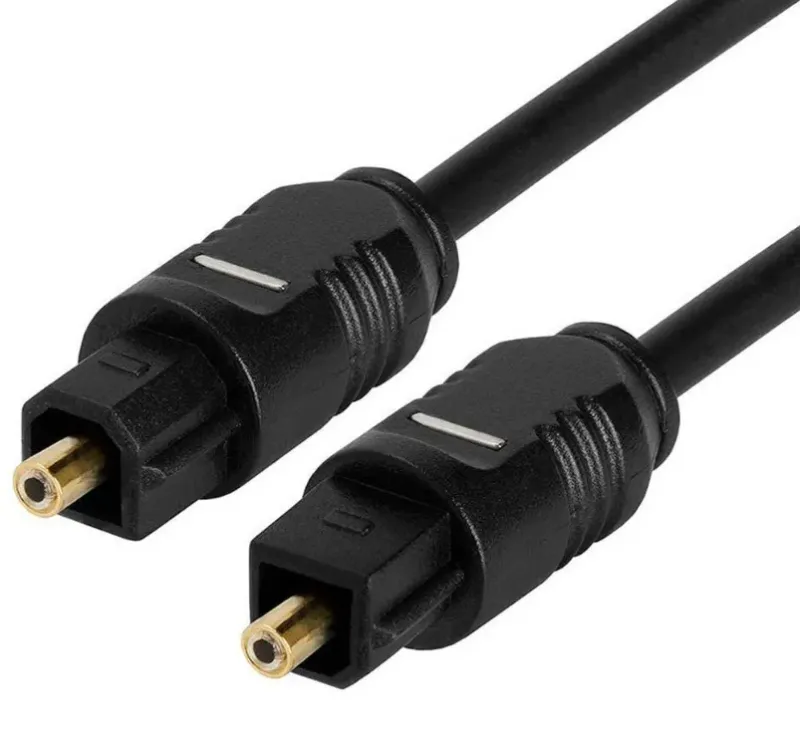
Optical Audio Cable (TOSLINK)
Best for: Digital Home Audio Systems
An optical audio cable transmits digital sound using pulses of light rather than electrical signals. It is commonly used to connect compatible televisions, soundbars, and home theater equipment.
- Optical Signal
- Digital Audio
- Electrical Isolation
- TOSLINK Connector
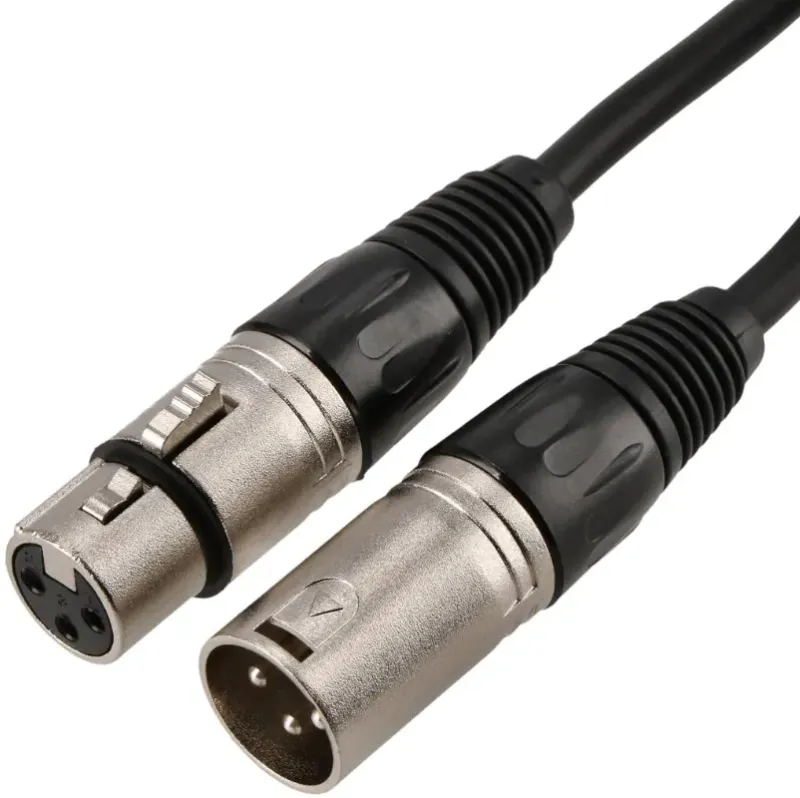
XLR Cable
Best for: Professional Microphones and Recording
XLR cables are widely used in professional audio environments to connect microphones, mixers, and recording equipment. Their balanced connection helps reduce interference over longer cable runs.
- Three-Pin Connector
- Balanced Audio
- Locking Design
- Professional Equipment Support
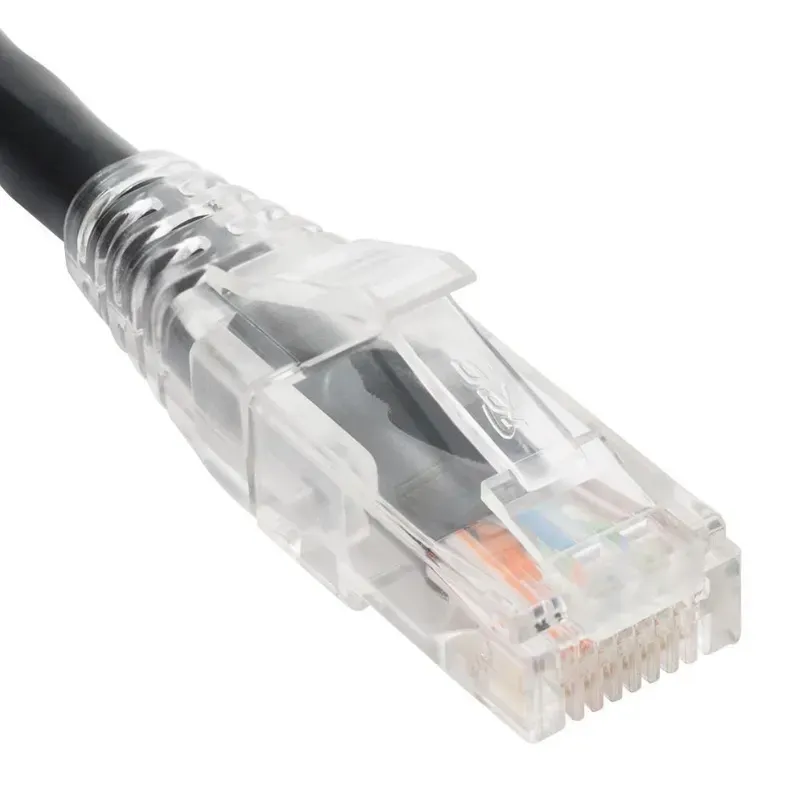
Ethernet Cable (RJ45)
Best for: Wired Internet and Local Networks
Ethernet cables connect computers, routers, switches, and other network devices using wired connections. Different categories, such as Cat5e, Cat6, and Cat6A, support different performance levels.
- RJ45 Connector
- Twisted-Pair Wires
- Wired Networking
- Multiple Cable Categories
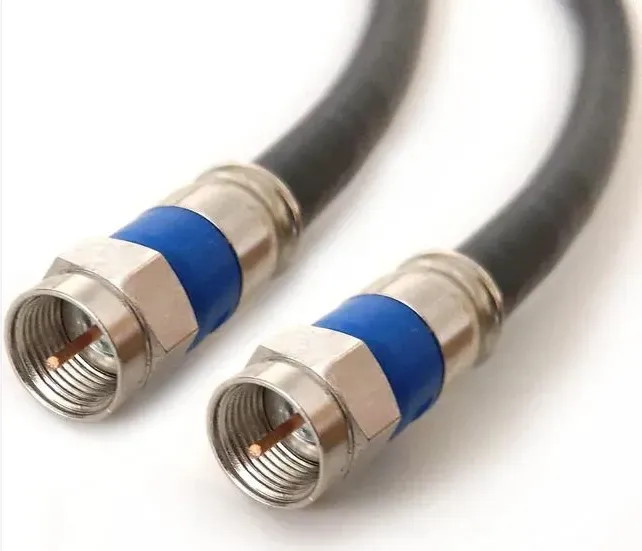
Coaxial Cable
Best for: Television and Antenna Signals
Coaxial cables carry radio-frequency signals between antennas, televisions, cable boxes, and communication equipment. Their layered construction helps protect signals from external interference.
- Central Conductor
- Insulating Layer
- Metallic Shield
- RF Signal Transmission
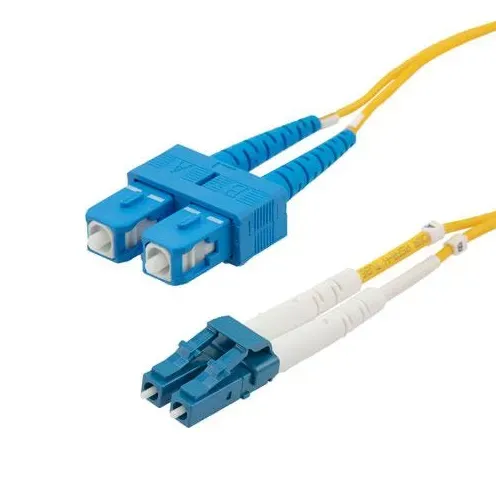
Fiber Optic Cable
Best for: High-Speed Internet and Data Networks
Fiber optic cables transmit information as pulses of light through thin glass or plastic fibers. They are widely used in high-speed internet connections, telecommunications, and large data networks.
- Glass or Plastic Fibers
- Light-Based Signals
- High Bandwidth
- Low Signal Loss Over Distance
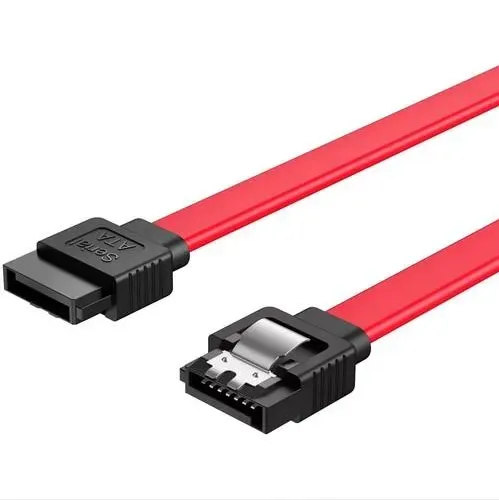
SATA Data Cable
Best for: Connecting Internal Storage Drives
A SATA data cable connects compatible internal hard drives and SATA SSDs to a computer's motherboard. It transfers data between storage devices and the computer system.
- Narrow Connector
- Seven-Pin Interface
- Internal Storage Support
- Data Transfer
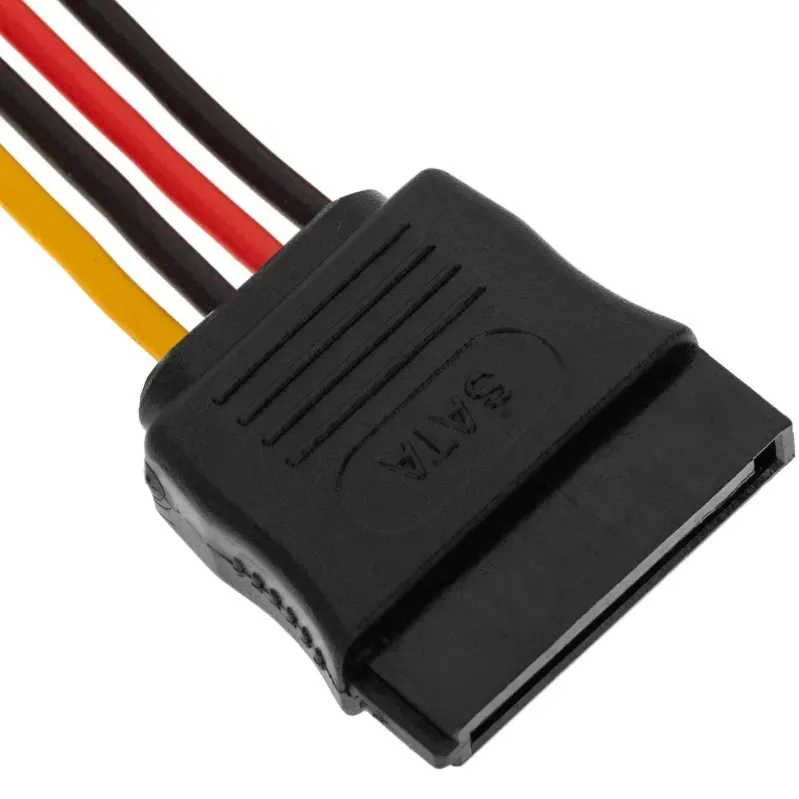
SATA Power Cable
Best for: Powering Internal Storage Devices
A SATA power cable supplies electricity from a computer power supply to compatible hard drives, SSDs, and other SATA-powered devices.
- 15-Pin Connector
- Multiple Voltage Rails
- Internal Power Connection
- Storage Device Support
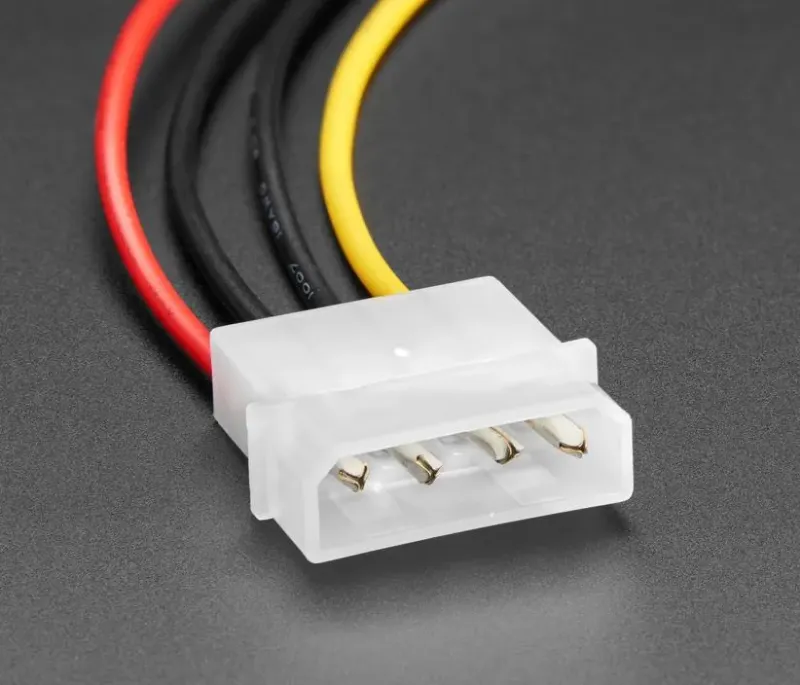
Molex Power Cable
Best for: Older PC Components
Molex power cables are older computer power connections used in legacy hard drives, optical drives, cooling fans, and other internal components.
- Four-Pin Connector
- 12V and 5V Supply
- Internal PC Connection
- Legacy Hardware Support
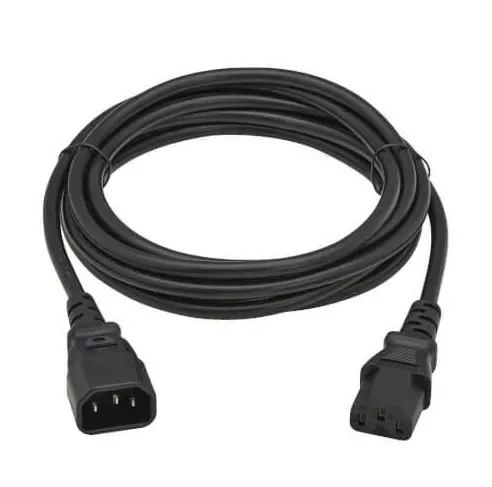
IEC C13 Power Cable
Best for: Desktop Computers and Monitors
An IEC C13 power cable is commonly used to connect desktop computers, monitors, and other compatible equipment to a mains power source through an IEC C14 inlet.
- Three-Pin Connector
- IEC C13 Plug
- AC Power Delivery
- Computer Equipment Compatibility
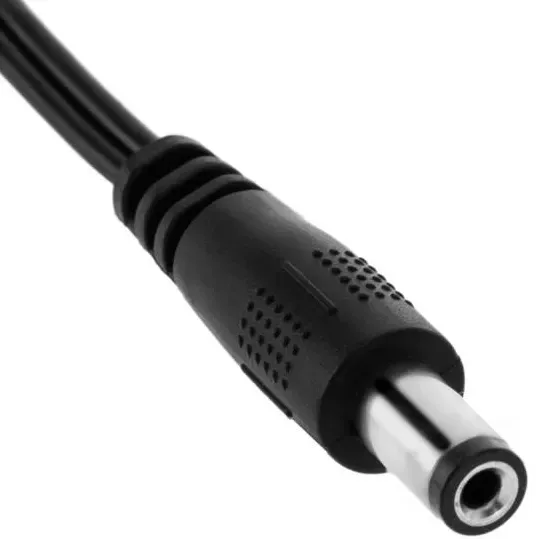
DC Barrel Power Cable
Best for: Routers and Electronic Adapters
DC barrel cables deliver low-voltage direct current from a power adapter to compatible electronic devices such as routers, modems, cameras, and small appliances.
- Round Barrel Plug
- DC Power
- Multiple Connector Sizes
- Polarity-Sensitive Connection
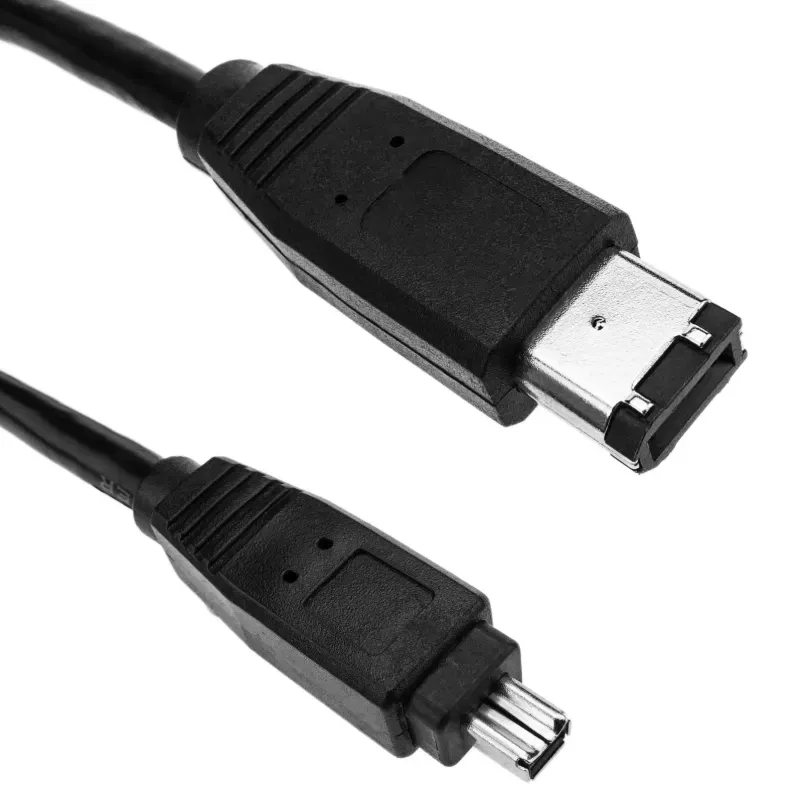
FireWire Cable
Best for: Legacy Digital Cameras and Storage
FireWire, also known as IEEE 1394, is an older high-speed connection standard used with digital camcorders, external drives, and professional multimedia equipment.
- IEEE 1394 Standard
- 4-Pin or 6-Pin Versions
- Legacy Device Support
- Data Transfer
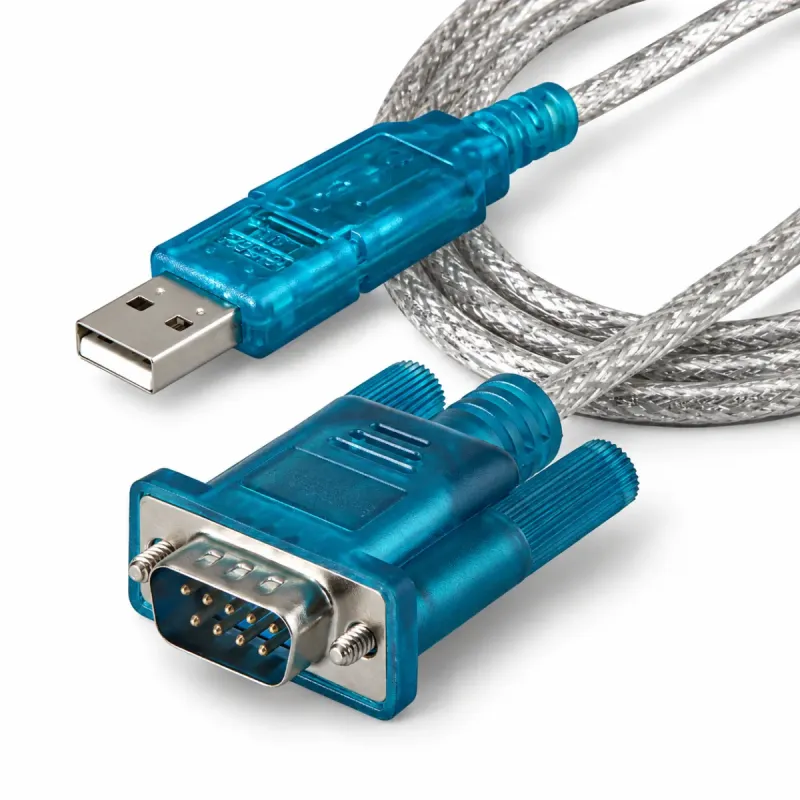
Serial RS-232 Cable
Best for: Industrial and Legacy Equipment
RS-232 cables provide serial communication between computers and compatible industrial devices, control systems, and older electronic equipment. They are still used in some specialized applications.
- Serial Data Transmission
- DB9 or DB25 Connectors
- Point-to-Point Communication
- Industrial Equipment Support