

Forgetting your email address or username can happen to anyone. In today’s digital world, we use email accounts for everything from online shopping and social media to banking, work, and other essential services. Losing access to the email address connected to those accounts can quickly become frustrating.
If you’re wondering how to find your email address, you’re in the right place. You don’t need complicated technical knowledge to track down a forgotten email address. In most cases, a few simple checks in your Google or Yahoo account, browser, smartphone, or social media apps can help you find it.
Read More

What You Need Before Trying to Recover Your Email
Before starting the recovery process, gather any information you may still have access to. Email providers such as Google and Yahoo use recovery information to verify that you are the legitimate account owner.
Depending on the service, this may include:
- A phone number linked to the account
- A recovery email address
- Your name as it appeared when the account was created
- A previously used password
- A device where you are still signed in
If you still have access to the phone number associated with your account, you have a much better chance of finding your forgotten email address.
Keep in mind that repeated unsuccessful login attempts can trigger additional security checks or temporary restrictions. Instead of trying random passwords or recovery information over and over, use the provider's official account recovery process.
Also, don't overlook your web browser. If you've previously signed in to a website or saved login information, your browser may still have the email address stored.
Google provides an official account recovery system for people who have forgotten their Gmail username or email address.
If you remember your recovery phone number or recovery email, finding your Gmail address can be relatively straightforward.
Step-by-Step: Find Your Gmail Address
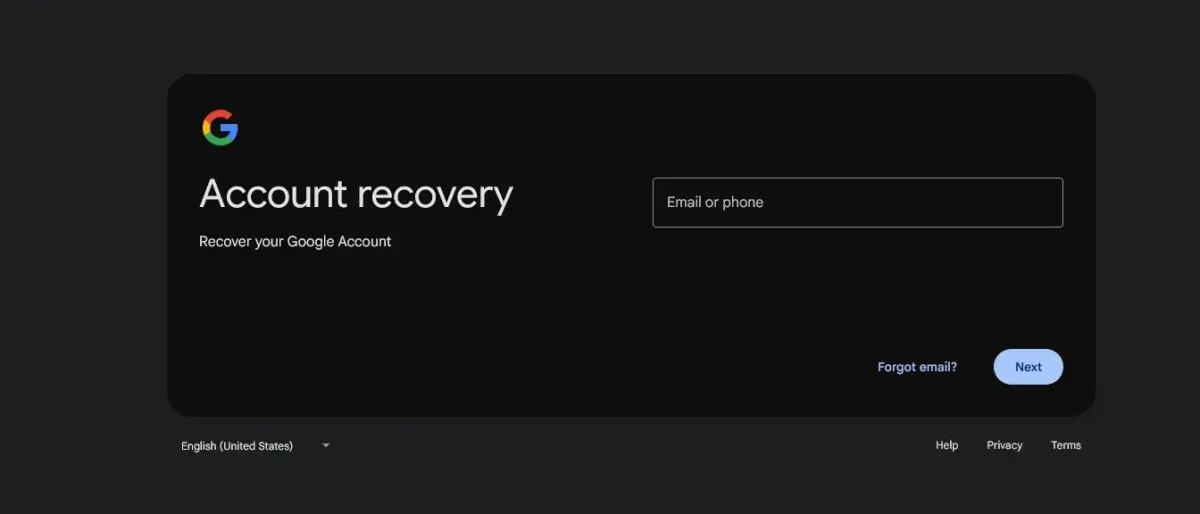
1. Open Google's Account Recovery Page
Go to Google's official account recovery page at g.co/recover.
2. Enter Your Recovery Information
Enter the phone number or recovery email address associated with your Google account.
3. Enter Your Name
Google may ask for the first and last name associated with the account. Enter the name exactly as it was originally registered.
4. Verify Your Identity
Google may send a verification code to your recovery phone number or email address. Follow the instructions shown on the screen to confirm that you own the account.
5. Review the Accounts
After successful verification, Google may show accounts associated with the recovery information you provided.
If you don't see the account you're looking for, try to remember whether you may have used a different name, phone number, or recovery email when creating it.
Another useful option is to check your browser's saved passwords and login information.
Check Chrome for a Forgotten Email Address
Your browser can sometimes be one of the easiest places to find an old email address.
If you've previously used your Google account to sign in to websites, Chrome may have saved the username along with your login information.
To check:
- Open Google Chrome.
- Click the three-dot menu and select Settings.
- Open Autofill and passwords.
- Select Google Password Manager.
- Search for entries related to websites such as google.com or accounts.google.com.
- Open a relevant saved login to see whether your email address or username is listed.
You may not find the password itself if it was never saved, but the username or email address may still be visible.
How to Find Your Yahoo Email Address
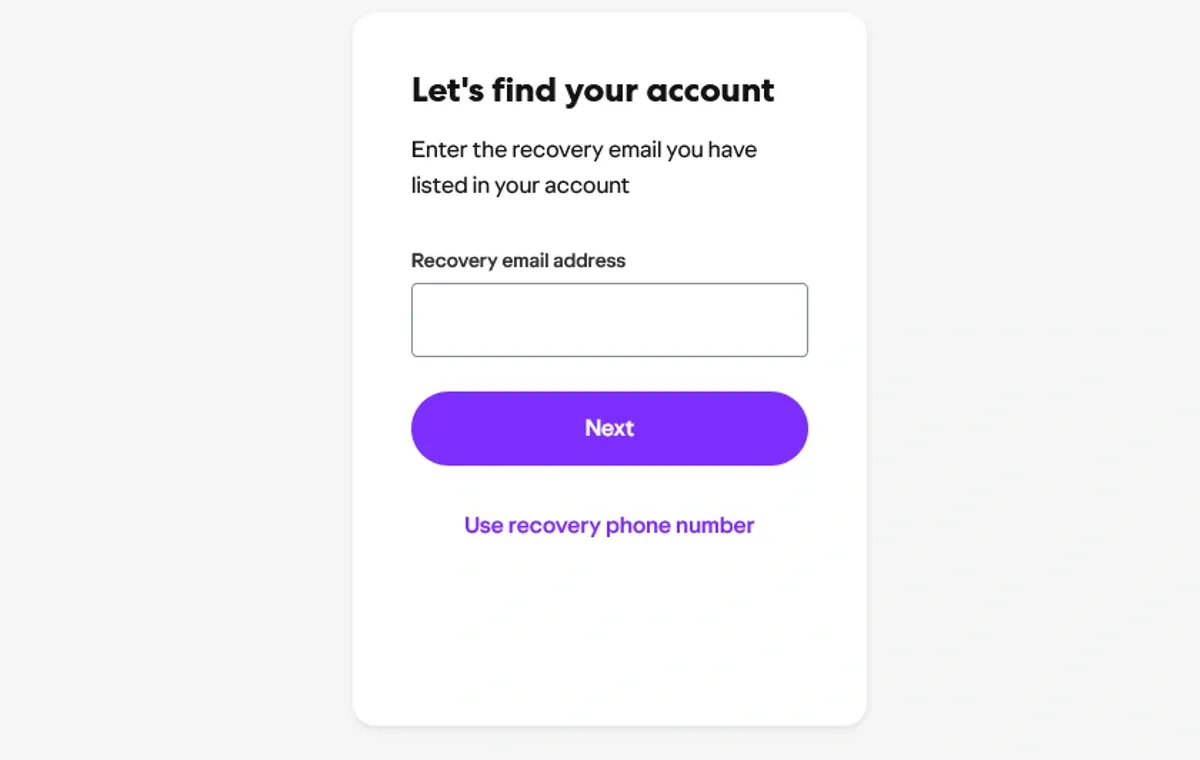
Yahoo remains a popular email service for both personal and professional accounts. If you've forgotten your Yahoo email address, Yahoo provides a recovery tool called Sign-in Helper.
The process is slightly different from Google's account recovery system.
In many cases, you can start by entering the phone number or recovery email address associated with your Yahoo account. Yahoo can then use that information to help identify your account.
Important Things to Know About Yahoo Account Recovery
Your Email Address May Be Partially Hidden
For security reasons, Yahoo may not display your entire email address during the recovery process.
For example, you might see something similar to:
m@yahoo.com*
Although some characters are hidden, seeing the beginning or ending of the address may be enough to remind you which account you used.
What If Your Old Phone Number Is No Longer Active?
Recovery becomes more difficult if the phone number linked to your Yahoo account has been disconnected or replaced.
In that situation, check whether you previously added a recovery email address or whether you're still signed in to Yahoo on an old phone, tablet, or computer.
Be cautious with third-party websites that claim they can recover your Yahoo account for a fee. Use Yahoo's official account recovery options whenever possible.
Where Can I Find All of My Email Accounts?
Sometimes the problem isn't one forgotten email address. You may simply want to find all the email accounts currently connected to your devices.
There is no universal button that can display every email account you've ever created. However, your smartphones, browsers, password managers, and apps can reveal many of the accounts you've used.
Your phone's settings are often a particularly useful place to start.
Find Email Accounts on an iPhone
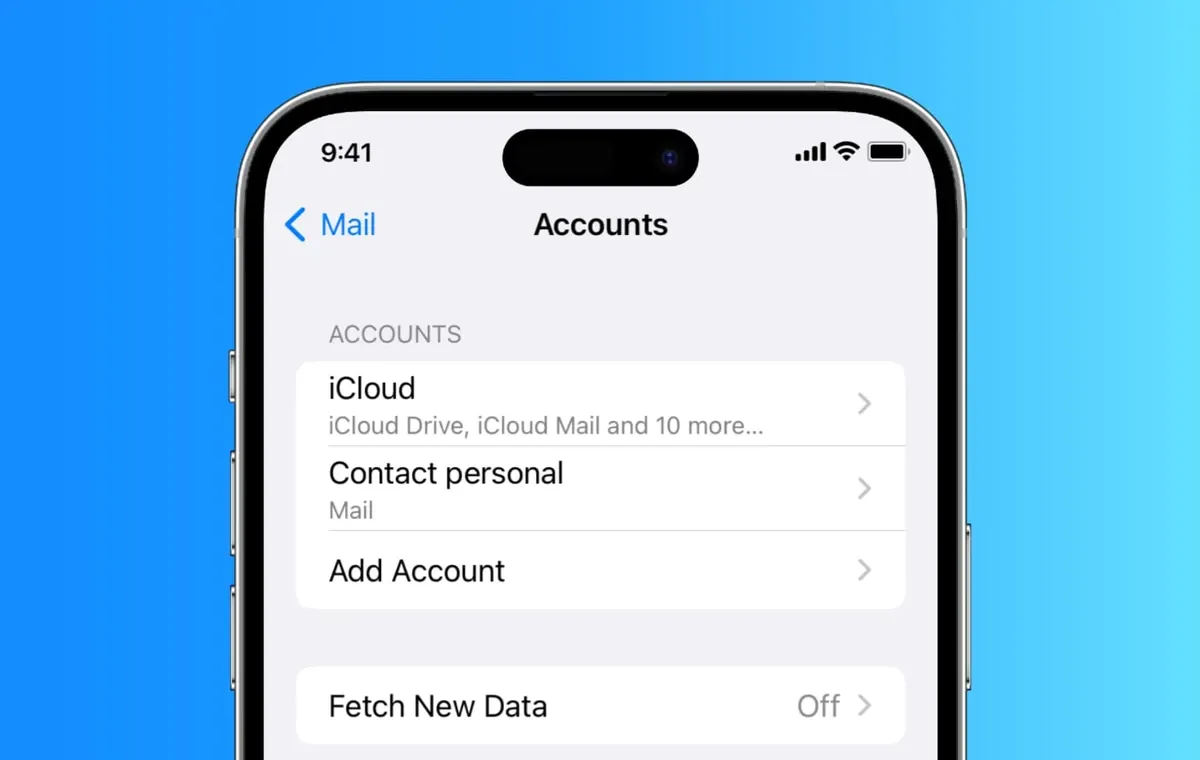
If you use an iPhone, you can check the accounts configured for Mail through the Settings app.
On recent versions of iOS, the exact menu layout may vary slightly, but you can generally find your email accounts by following these steps:
- Open Settings.
- Tap Apps.
- Select Mail.
- Tap Mail Accounts.
- Review the accounts listed there.
Tap an account to see the email address associated with it.
You may also want to check other apps on your iPhone where you are currently signed in, particularly social media, shopping, and messaging apps.
Find Email Accounts on Android
Android phones can also show accounts currently connected to the device.
Depending on the manufacturer and Android version, the menu names can vary. Look for options such as:
- Passwords & accounts
- Accounts
- Users & accounts
Once you open the relevant section, you'll usually see a list of Google and other accounts currently connected to your phone.
If you're using a Samsung, Pixel, or another Android device, the exact location of these settings may differ slightly.
Other Ways to Find a Forgotten Email Address
If the usual recovery methods don't work, it's time to look for other traces of your digital identity.
Your email address may be stored in places you don't normally think about.
Check Your Social Media Accounts
Many people use their primary email address when creating accounts on Instagram, Facebook, LinkedIn, and other platforms.
If you're still logged in to one of these services, you may be able to find the email address connected to your account.
For example, on Instagram:
- Open Settings and activity.
- Go to Accounts Center.
- Select Personal details.
- Open Contact info.
- Check the email addresses and phone numbers associated with your account.
The exact wording and menu location can change as apps are updated, but the account or contact information section is usually the place to look.
Search Old Emails in Someone Else's Inbox
This is a surprisingly effective method.
If you have another email account, or if you've previously emailed a friend, colleague, or family member, ask them to search their inbox for messages from you.
When someone receives an email from you, your email address is normally visible in the sender information.
Finding an old message you sent can immediately reveal the exact address you used.
You can also search your own other email accounts for terms such as:
- Welcome
- Verify your email
- Account created
- Yahoo
- Sign in
- Password reset
- Security alert
These messages may contain your forgotten email address or provide clues about which account you used.
What If You Also Forgot Your Email Password?
Finding your email address is only the first step if you've forgotten both your username and password.
Once you've identified the correct email address, use the provider's official password recovery process rather than relying on third-party password-recovery websites.
For Google, Yahoo, Microsoft, and other major providers, always start with the official account recovery tools.
Avoid giving your recovery codes, passwords, or verification codes to anyone claiming they can recover your account for you.
Forgetting an email address can feel stressful, especially when that address is connected to important online accounts. Fortunately, there are several reliable ways to track it down.
Start with the official account recovery tools provided by Google or Yahoo. If that doesn't work, check your browser's saved passwords, your phone's account settings, social media profiles, and old messages you've sent to other people.
The most important thing is to keep your recovery information up to date. Make sure your important email accounts have a current phone number and a reliable recovery email address whenever the provider allows it.
Once you regain access, consider storing your email addresses securely in a password manager. Taking a few minutes to organize your account information now can save you hours of frustration later.
Your email address is more than just an inbox login. It may be the key to your social media profiles, online purchases, work accounts, subscriptions, and many other parts of your digital life. Protecting your recovery information is therefore just as important as protecting your password.