



The Quiet Evolution of Email Privacy
Every morning, millions of people open their email inbox to read personal messages from family members, receive flight itineraries, and review sensitive medical invoices. For years, Google maintained a very clear and widely publicized corporate policy stating that the contents of personal Gmail accounts would never be scanned or used to build commercial advertising profiles. That promise gave users peace of mind, convincing everyday internet users that their private correspondence was treated with the same confidentiality as a sealed paper envelope in a mailbox.
However, recent updates to Google's overarching global terms of service and account privacy policies have quietly shifted that dynamic. Under the newest language rolled out across global accounts, automated algorithms are granted permission to cross-reference contextual keywords, sender domains, and draft interactions across Google Workspace services. While Google insists human employees never read your emails, automated machine learning models now analyze these behavioral signals to fine-tune personalized ad campaigns across YouTube, Google Search, and partner websites.
Key Facts: What Changed in Google's Privacy Rules
- Smart Features Permission: Toggling on convenient features like smart reply or package tracking grants automated data-processing permissions across Google services.
- Cross-Product Data Sharing: Contextual receipts and reservation confirmations can influence what commercial promotions appear in your browser search results.
- Default Opt-In: For the vast majority of existing consumer accounts, these expanded cross-product features are activated by default upon updating service terms.
- Complete Control Remains Available: You can completely sever this automated scanning pipeline in less than three minutes by flipping two specific account switches.
What Data Automated Scanners Actually Extract
To protect your privacy, you first need to understand what automated scanning actually looks like in practice. When you receive a confirmation email from an airline or a purchase receipt from an online store, automated parsers scan the message structure. They extract dates, travel destinations, product categories, and price ranges. In theory, this allows your phone to automatically place a reminder on your calendar or tell you when a package is scheduled for delivery.
The privacy tradeoff occurs when those extracted data points flow into your central Google Ad Profile. Even if your exact message text is not shared with third-party advertisers, your commercial profile is tagged with hyper-specific interests. If you receive emails regarding diabetes management or physical therapy, automated systems categorize your profile into specialized health and wellness marketing segments. The table below illustrates the stark difference between keeping these features active versus disabling them:
| Feature Setting | Convenience Provided | Privacy Cost & Data Leaked | Recommended User Action |
|---|---|---|---|
| Smart Features in Gmail | Auto-generated email replies, package tracking cards, and bill reminders | Automated scanners parse invoice dates, merchant names, and message tone | Disable: Check delivery status manually directly on carrier websites |
| Personalized Ads in Google Services | Ads matched to your recent searches and browsing interests | Cross-references YouTube views, search history, and email purchase tags | Turn Off: Completely wipes commercial advertising profile |
| Web & App Activity Sync | Remembers previous search queries across all your connected devices | Logs physical locations, app launch timestamps, and search queries indefinitely | Set to Auto-Delete: Automatically erase all logs after 3 months |
| Cross-Product Personalization | Google Assistant predicts your schedule based on email reservations | Grants Assistant full background access to parse incoming email receipts | Turn Off: Manually add flight and hotel details to calendar |
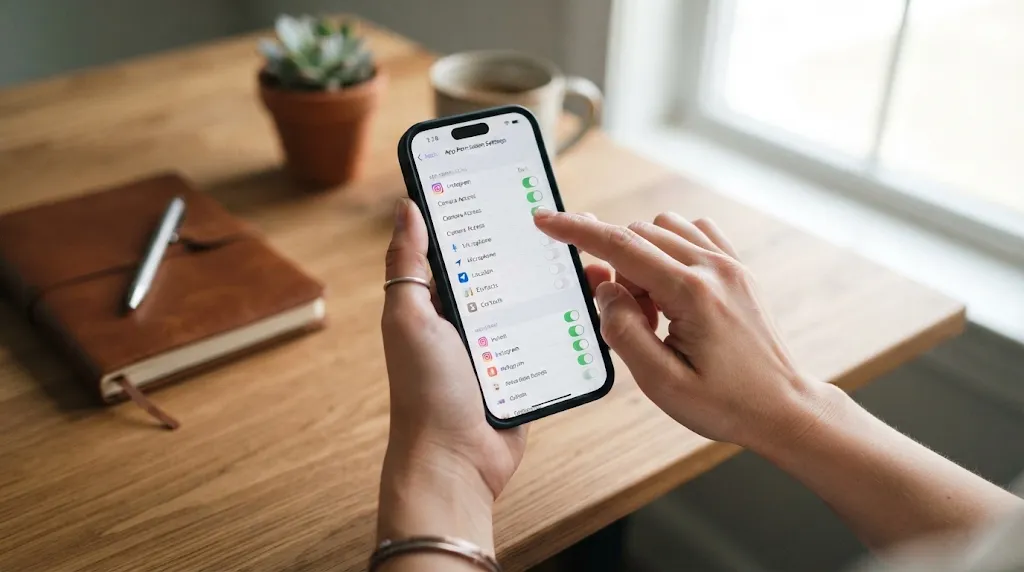
Step-by-Step Guide: How to Lock Down Your Gmail Account
You do not need to delete your Gmail account or switch to an obscure technical email provider to protect your privacy. Google provides an official mechanism to completely disable automated cross-product scanning, but the toggles are tucked away inside nested account settings menus. Follow these three simple steps on either your computer browser or mobile phone to lock down your account:
- Step 1: Disable Smart Features in Gmail Settings:
Open Gmail on your computer, click the gear icon in the top right corner, and select "See all settings." Scroll down on the General tab until you find "Smart features and personalization." Uncheck the box, and also uncheck "Smart features and personalization in other Google products." Confirm your choice when the warning box appears. - Step 2: Turn Off Personalized Ads in Google Account:
Visit myaccount.google.com in your web browser and click on "Data & privacy" in the left navigation menu. Scroll down to "Personalized ads" and click on "My Ad Center." Switch the toggle at the very top from "On" to "Off." This prevents Google from utilizing your account history to target commercial ads. - Step 3: Enable Automated Activity Deletion:
Under the same "Data & privacy" menu, locate the "History settings" box. Click on "Web & App Activity," select the "Auto-delete" option, and choose the shortest available timeframe (3 months). This ensures that any background diagnostic logs are permanently scrubbed from Google servers automatically.

Why Taking These Steps Gives You Lasting Peace of Mind
When you disable these automated scanning toggles, your Gmail interface may look slightly simpler. You will no longer see three-word suggested replies at the bottom of incoming messages, and your phone will not automatically generate flight notification cards on your lock screen. For the vast majority of privacy-conscious users, however, losing those minor conveniences is a tiny price to pay for genuine digital peace of mind.
Taking a few moments on a weekend morning to review your digital footprint reminds major technology companies that personal privacy is not an outdated luxury. Your private communications belong to you, not to an automated advertising algorithm designed to monetize your daily conversations. By making deliberate, informed choices about your software settings, you take full control of your digital life and protect your personal boundaries in an increasingly connected world.
Alternative Privacy-First Email Services to Consider
For users who handle exceptionally sensitive client records, investigative research, or financial contracts, tweaking settings on a conventional commercial account may only be a partial solution. If you want guaranteed mathematical privacy that cannot be undermined by future terms-of-service revisions, several independent privacy-first email providers offer end-to-end encryption by default. Services based in strict privacy jurisdictions like Switzerland or Germany encrypt message databases directly on your personal device before data packets ever reach remote server hardware.
When you transition to a zero-knowledge encrypted provider, even the email company hosting your account holds no cryptographic keys to decipher your message body or attachment files. While these specialized services often require a modest annual subscription fee to cover operating costs, they completely eliminate advertising trackers from your inbox. Whether you choose to harden your existing account settings or migrate to a privacy-dedicated platform, taking intentional ownership of your digital communications remains the smartest personal investment in our connected modern world.