

Why Cheap Phone Cables Stop Charging (and the Pin 4 Carbon Trap)
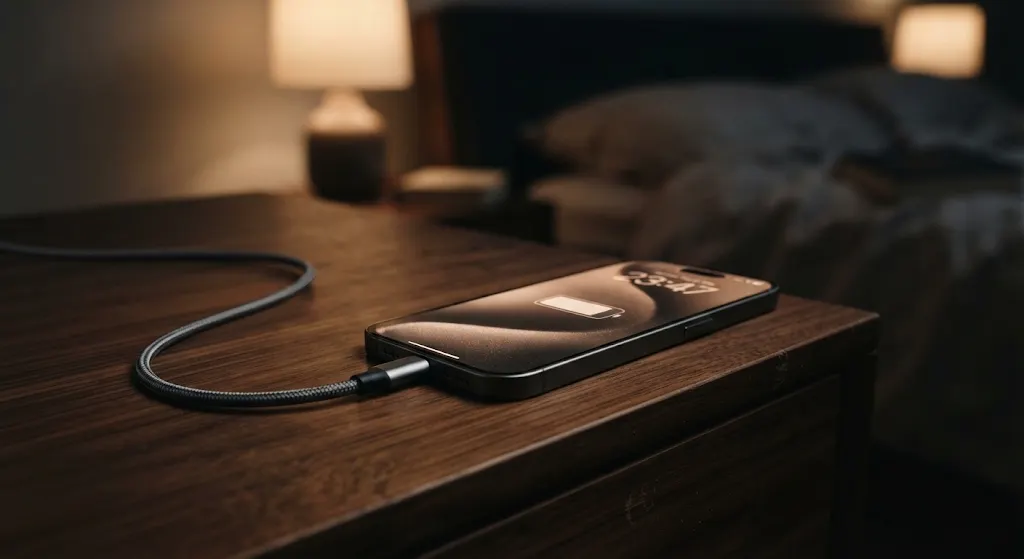
Almost everyone has lived through this exact late-night annoyance. You crawl into bed after a long workday, plug your dying smartphone into the charging cord dangling off your nightstand, and nothing happens. You nudge the cord, twist the rubber neck sideways at a sharp forty-five-degree angle, and suddenly hear that familiar chime. The lightning bolt appears on screen.
Most folks figure charging cables are just simple copper wires that wear out from bad luck or planned obsolescence. But walk into an electronics diagnostic repair lab and put a dead five-dollar gas station cord under an optical inspection microscope, and you will discover a completely different reality. The reason phone cords drop dead after ninety days comes down to electrical arcing, microscopic carbon soot, and a tiny strip of gold called Pin Four.
A veteran hardware engineer named Marcus Vance, who has spent twenty-two years analyzing consumer electronics and micro-soldering logic boards in suburban Detroit, showed me a drawer filled with broken charging cables on a chilly Tuesday morning. Marcus clipped an illuminated digital multimeter onto a frayed white cord plugged into an iPhone.
"People treat charging cables like ordinary extension cords for lamps," Marcus told me while unscrewing an aluminum connector housing. "They think it is just dumb wire. But modern USB-C and Lightning connectors are sophisticated high-speed data circuits carrying thirty to one hundred watts of direct electrical power through microscopic metal pins separated by fractions of a millimeter."
The Overnight 100% Trap: What Actually Happens Under Your Laptop Keyboard While You Sleep
The Sacrificial Pin That Turns Black
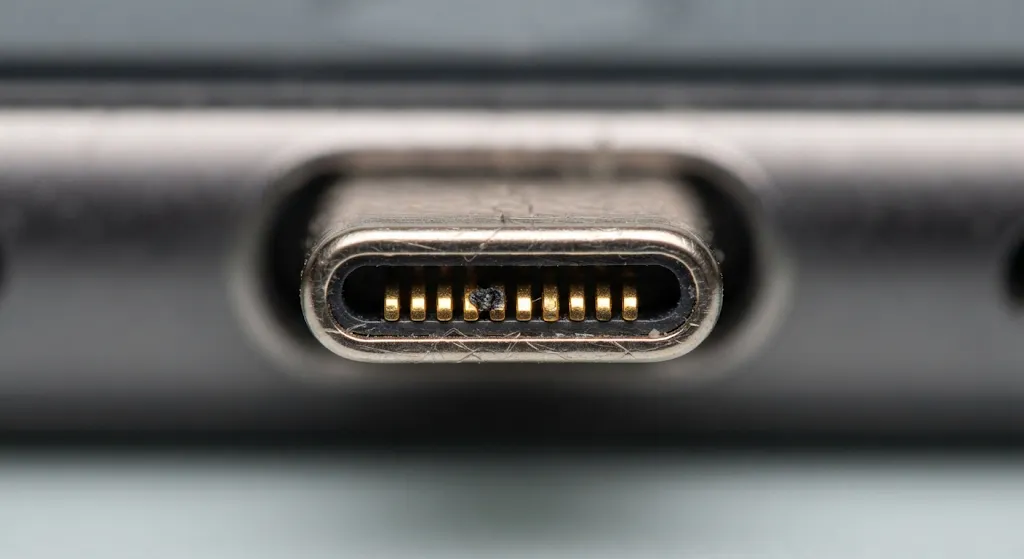
Marcus grabbed an illuminated magnifying loupe and handed it to me. He pointed to the gold-plated metal teeth lined up along the tip of a Lightning and USB-C connector.
"Look closely at pin number four from the left," Marcus instructed. "Notice how every other golden pin looks clean and shiny, but pin four has a crusty, pitted black dot right in the middle? That black speck is not everyday pocket grime. That is burnt carbon residue created by high-voltage electrical arcing."
In consumer electronics, Pin Four is known as the VBUS power pin. It carries the hot five-volt or nine-volt positive direct current from the wall adapter straight into the phone's battery charging circuitry. When you plug your phone into a live charger, that electrical current jumps across the microscopic air gap milliseconds before the metal pins physically touch.
"Every time you plug in a live cable, a tiny microscopic lightning bolt arcs between the plug and the internal phone receptacle," Marcus explained. "That electrical spark produces localized heat exceeding a thousand degrees for a microsecond. Over three months of daily plugging, that arc burns away the ultra-thin gold plating and leaves behind an insulating crust of burnt carbon. Once that carbon layer builds up, electricity cannot jump across, and your phone refuses to charge."
The Angle-Bending Physics That Destroys Copper
I asked Marcus why bending a broken charging cable sideways at a harsh angle magically brings the connection back to life for a few days.
"That habit is a dead giveaway that the internal positive copper trace has physically snapped," Marcus said. "Inside cheap five-dollar cables, manufacturers use hair-thin copper strands with almost zero nylon core reinforcement. Every time you scroll through social media in bed with the phone resting upright against your chest or mattress, you bend that rubber collar at a ninety-degree angle."
After roughly five hundred bends, metal fatigue snaps the delicate copper conductors inside the neck. Bending the cable sideways physically forces the jagged broken wire ends to mash together for a brief second.
"When you twist that broken wire together under live current, it acts like a miniature arc welder inside the rubber sleeve," Marcus warned. "It generates heat, melts the inner plastic insulation, and creates a genuine fire hazard. If you have to bend your phone cord like a pretzel to get a charge, throw it directly into the trash."
| Cable Grade | Internal Copper Quality | E-Marker Chip Protection | Average Working Lifespan |
|---|---|---|---|
| $4 Gas Station Cord | Hair-thin strands; zero shielding | Missing; raw power surge risks | 6 to 12 weeks |
| Standard Factory Rubber Cord | Medium copper; basic PVC jacket | Standard authentication chip | 8 to 14 months |
| Reinforced Braided Nylon Cable | Tinned copper; Kevlar core fibers | Certified E-Marker power regulation | 3 to 5+ years |
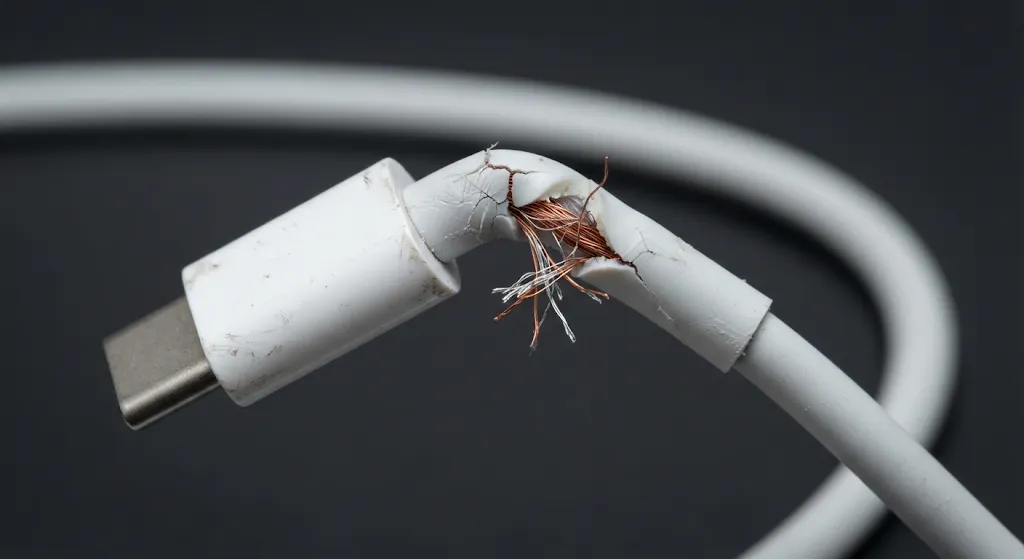
Hardware Engineer's Safety Warning: If you must bend a charging cord like a pretzel to get your phone to charge, throw it out immediately. Forcing snapped copper strands together under live electrical load creates micro-arcing and intense localized heat that can melt inner rubber insulation and pose a genuine fire hazard.
The Missing E-Marker Chip Trap
Marcus placed a cheap generic gas station cable and a heavy braided cable on his digital scale. The heavy cable weighed nearly three times as much as the cheap plastic cord.
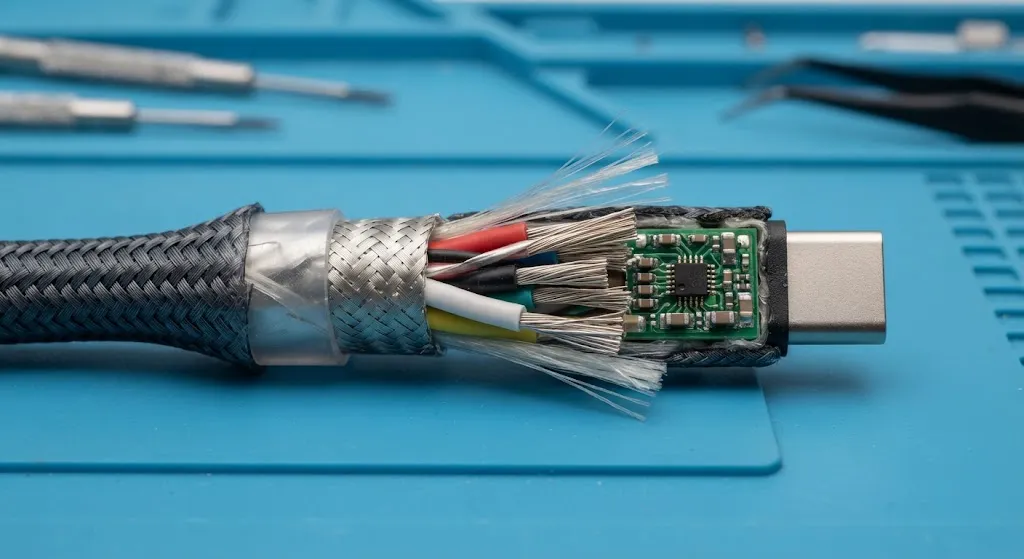
"Look inside the plug housing of a quality modern USB-C cable, and you will find an actual computer microchip called an E-Marker," Marcus pointed out. "The E-Marker acts as a digital handshake between your wall charger and your phone. It talks to the battery controller and asks: How much power can you safely absorb right now?"
Cheap budget cables skip this microchip entirely to save sixty cents during manufacturing. They simply route raw, unregulated current straight from the wall brick into your device. When a power fluctuation hits your home electrical outlet, that unfiltered spike fries your phone's power management chip, turning a four-dollar cord into a six-hundred-dollar repair bill.
The 30-Second Toothpick Pocket Lint Rescue
Before spending money on replacement cables, Marcus demonstrated a simple maintenance trick that saves dozens of his customers hundreds of dollars every month.
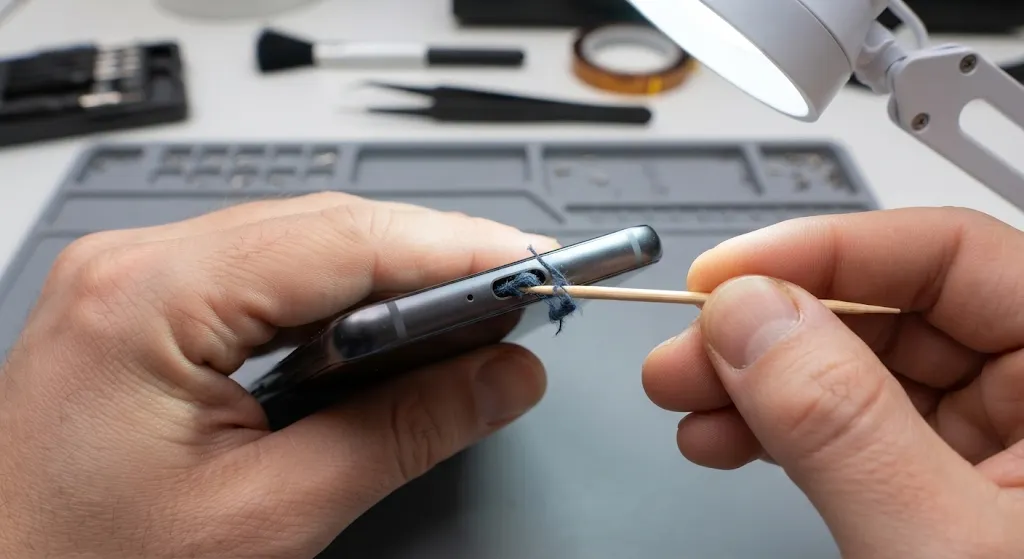
"At least three times a week, a customer walks in convinced their phone's charging port is dead and needs a ninety-dollar replacement," Marcus laughed. "Nine times out of ten, the port is completely healthy. It is just stuffed full of denim pocket lint."
Every time you slide your smartphone into a pair of jeans, the open port acts like a scoop, collecting tiny fabric fibers. When you push the charging plug in, you pack that lint into the back of the port like dense felt. Eventually, the plug cannot seat all the way down, preventing the pins from making physical contact.
"Grab a simple wooden or plastic toothpick—never a conductive metal paperclip or sewing needle—and gently scrape the bottom corners of the port under a bright desk lamp," Marcus advised. "You will be astonished by the dense wad of lint that pops out. Once cleared, your cable will click firmly into place and charge perfectly."
The Proper Sequence to Stop Electrical Arcing
To keep your charging cables healthy and prevent black carbon deposits on Pin Four, Marcus shared one golden rule of consumer electronics hygiene.
"Always plug your charging cable into your smartphone first before plugging the power brick into the wall outlet, or plug the cable into your phone before turning on the power strip," Marcus said. "When you plug an unpowered connector into your phone, zero electrical arcing occurs. The gold plating stays clean, the pins never burn, and your cables will easily last for years."
Treating your charging gear with basic electrical respect turns a disposable three-month headache into a durable, long-term tool that protects both your wallet and your smartphone battery.