
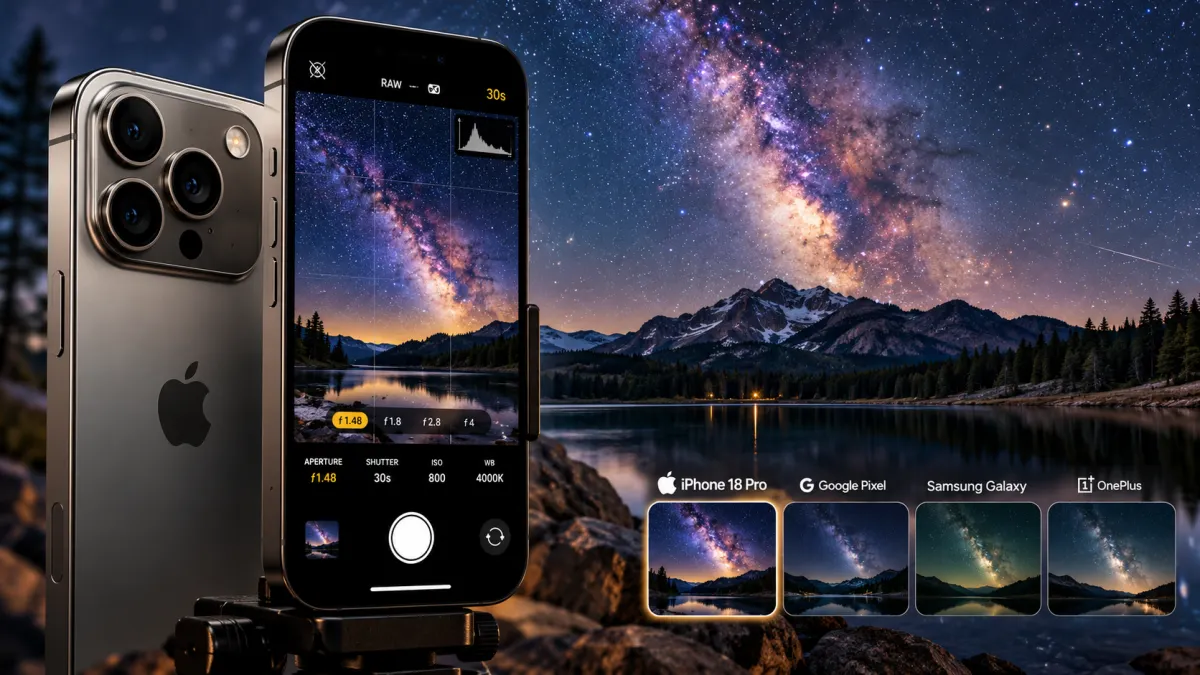

The iPhone 18 Pro is Apple's most capable iPhone yet for photographing the night sky. Its new variable-aperture main camera opens as wide as f/1.48, allowing it to capture more light than the fixed-aperture camera on its predecessor. Apple has also introduced new Pro controls in the native Camera app, giving photographers direct access to settings such as shutter speed, aperture, and white balance.
But how much of a difference do these upgrades make when photographing the Milky Way, stars, or the northern lights? And can Apple's latest flagship compete with Google's Pixel and Samsung's Galaxy phones, which offer dedicated astrophotography features?
Here's a closer look at the iPhone 18 Pro's low-light capabilities, its biggest strengths and limitations, and whether it's worth upgrading for night-sky photography.
Read More
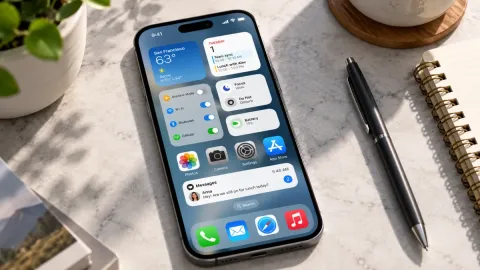
What Makes the iPhone 18 Pro Better for Night Photography?
The iPhone 18 Pro and iPhone 18 Pro Max represent Apple's most advanced iPhone camera systems for low-light photography to date. More importantly, this year's upgrades address one of the biggest challenges in astrophotography: gathering enough light to capture faint details in a dark sky.
The main camera now features a variable aperture that opens to f/1.48. According to Apple, the wider aperture improves low-light performance compared with the iPhone 17 Pro. A wider aperture allows more light to reach the sensor, which can help capture brighter images without relying entirely on software processing.
Apple has also introduced Pro controls in the native Camera app. Photographers can manually adjust aperture, shutter speed, and white balance, while a live histogram helps them evaluate exposure. These additions make the iPhone more flexible for people who want greater control over their night shots.
For astrophotography enthusiasts, that combination of improved light gathering and more direct camera control is a meaningful step forward.
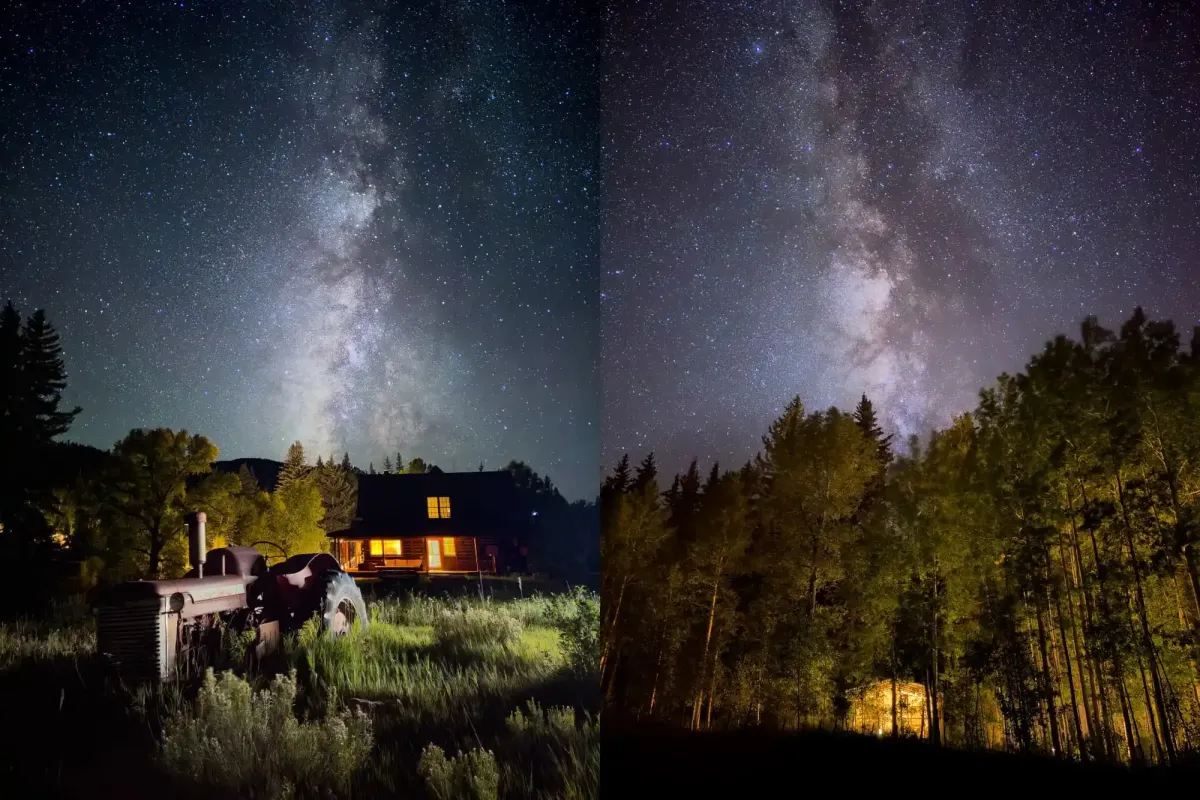
Credit: Austin Mann
iPhone 18 Pro Camera Specifications
The iPhone 18 Pro and iPhone 18 Pro Max share the same rear camera system, so their core astrophotography capabilities are essentially identical.
Key specifications include:
- Main camera: 48MP sensor measuring approximately 1/1.28 inch, with 1.22-micron pixels.
- Variable aperture: Four settings ranging from f/1.48 to f/4.
- Image stabilization: Second-generation sensor-shift optical image stabilization.
- Ultra-wide camera: 48MP, 13mm equivalent, with an f/2.2 aperture.
- Telephoto camera: 48MP, 100mm equivalent, with an f/2.8 aperture.
- Image format: Apple ProRAW support for greater flexibility during editing.
- Night Mode: Exposures of up to 30 seconds when conditions allow.
The biggest hardware change compared with the iPhone 17 Pro is the variable aperture. The previous model used a fixed f/1.78 aperture, while the iPhone 18 Pro can open to f/1.48.
That difference may look small on paper, but a wider aperture can make a practical difference when photographing faint objects in the night sky. It gives the camera more light to work with, potentially preserving details that would otherwise be lost in noise or aggressive editing.
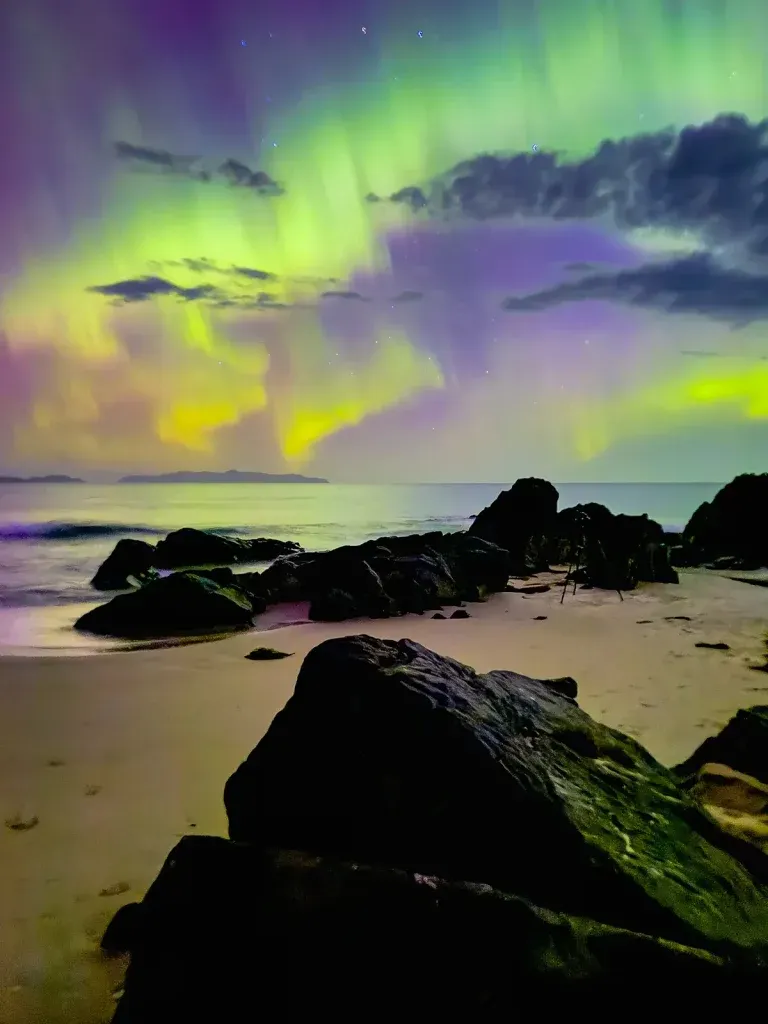
Credit: Ben Alldridge
How the iPhone 18 Pro Performs Under a Dark Sky
Apple has gradually improved its night photography capabilities over several generations. Recent Pro models already offer 48MP main cameras, Night Mode, long exposures when the phone is stabilized, and ProRAW capture.
The iPhone 18 Pro builds on that foundation with its variable aperture and expanded manual controls.
Its six-blade aperture mechanism supports four settings: f/1.48, f/1.8, f/2.8, and f/4. In low-light situations, the camera can open the aperture to f/1.48 to gather more light.
For night-sky photography, the main camera is the most useful starting point. Its combination of a relatively large sensor and a wide aperture gives it an advantage over the phone's ultra-wide and telephoto cameras in very dark conditions.
However, a wider aperture alone cannot guarantee a sharp, detailed image of the Milky Way. The final result also depends on the darkness of the sky, exposure settings, image processing, and how steadily the phone is mounted.
Night Mode: A Useful Tool for Photographing Stars
One of the iPhone 18 Pro's most useful features for night photography is Night Mode.
When the phone detects that it is stationary in a dark environment, Night Mode can offer exposures of up to 30 seconds, depending on the shooting conditions. A stable tripod is essential for taking advantage of longer exposures without introducing unwanted camera shake.
For the best results, use the main camera at its standard 1x setting, keep the phone firmly mounted, and select the longest exposure available when the scene and conditions support it.
The wider f/1.48 aperture gives the camera an additional advantage by allowing more light to reach the sensor during the exposure.
Still, Night Mode is not the same as a dedicated astrophotography mode. It can produce attractive images of stars and night landscapes, but its results may not match those of phones that capture and combine multiple frames specifically for astrophotography.
Apple ProRAW: Why It Matters for Astrophotography
Capturing the image is only part of the process. Editing can make a substantial difference when photographing a dark sky.
Apple ProRAW combines raw image data with computational photography processing, giving photographers more flexibility than a standard JPEG or HEIF image. In an editing application such as Adobe Lightroom Mobile, you can adjust exposure, recover some shadow detail, refine white balance, and fine-tune contrast and color.
This flexibility is particularly valuable when photographing the Milky Way, where the difference between a flat-looking image and a more detailed result often comes down to careful editing.
However, RAW files cannot recover details that the sensor never captured. If the sky is heavily light-polluted or the exposure contains very little useful information, editing alone will not produce a dramatic result.
For that reason, the best approach is to combine ProRAW with a stable tripod, a dark location, and a carefully chosen exposure.
Why the Main 1x Camera Is Your Best Choice
Although the iPhone 18 Pro has three rear cameras, they are not equally suited to astrophotography.
The main camera is the strongest option for most night-sky shots because it combines a larger sensor with the widest available aperture. The ultra-wide and telephoto cameras have different optical characteristics and narrower apertures, making them less suitable for gathering light in very dark conditions.
For beginners, shooting at 1x is a sensible default. It provides a useful balance of light gathering, detail, and image quality.
If you want a wider composition, experiment with the ultra-wide camera, but expect the results to vary depending on how dark the sky is and how much detail you want to preserve.
iPhone 18 Pro vs. Google Pixel and Samsung Galaxy
The iPhone 18 Pro's wider aperture is a notable advantage, but it does not automatically make it the best astrophotography phone.
Google's Pixel series has offered a dedicated Astrophotography mode, while Samsung's compatible Galaxy Ultra models have offered specialized astrophotography tools. These features can capture multiple exposures and combine them to reduce noise and improve the final image.
Apple's approach relies more heavily on Night Mode, its image-processing pipeline, and the additional flexibility provided by ProRAW.
Here is a comparison of the models listed in the original article. Prices and specifications should be checked against official product pages before publication.
| Phone | Astrophotography approach | Main camera | Key consideration |
|---|---|---|---|
| Google Pixel 11 | Dedicated Astrophotography mode | 48MP | Automated multi-frame capture |
| Google Pixel 11 Pro | Dedicated Astrophotography mode | 50MP | Advanced computational photography |
| Google Pixel 10 Pro | Dedicated Astrophotography mode | 50MP | Multi-frame night-sky photography |
| iPhone 17 Pro | Night Mode and Apple ProRAW | 48MP | Long exposures and RAW editing |
| iPhone 18 Pro | Night Mode and Apple ProRAW | 48MP, variable aperture | Wider aperture and more manual control |
| Samsung Galaxy S26 Ultra | Expert RAW astrophotography tools | 200MP | Specialized capture options |
| Samsung Galaxy S25 Ultra | Expert RAW and astrophotography tools | 200MP | Dedicated night-sky features |
| OnePlus 13 | Night and Master modes | 50MP | Manual controls and RAW support |
| Xiaomi 15 Ultra | Night and Pro modes | 50MP | Advanced camera hardware and manual shooting |
The main distinction is computational photography. A dedicated astrophotography mode can capture multiple frames, align them, and combine their information into a cleaner final image. That process can reduce noise more effectively than relying on a single exposure.
The iPhone's wider aperture can help it capture more light in each frame, but it does not eliminate the advantages of multi-frame processing.
What Are the Biggest Limitations of the iPhone 18 Pro?
Despite its improvements, the iPhone 18 Pro still has limitations that matter to serious astrophotographers.
1. No dedicated multi-frame astrophotography mode
Unlike compatible Pixel and Galaxy models, the iPhone does not offer the same type of dedicated, automated astrophotography workflow described above. A single long exposure can capture impressive results, but it may contain more visible noise than an image produced by combining several carefully aligned frames.
Photographers who want to push image quality further can capture multiple images and stack them using compatible software, although this requires more time and editing skill.
2. Limited control over ISO
Apple's new Pro controls provide manual access to several important camera settings, including aperture and shutter speed. However, the original article does not establish that users can manually control ISO through the native Camera app.
That matters because ISO affects the brightness and noise characteristics of a photograph. Astrophotographers often balance ISO and exposure time to capture faint stars without introducing excessive noise or star trails.
Before relying on a specific ISO workflow, check the available controls in the shipping version of iOS and consider a third-party camera app if you need additional manual settings.
3. Unclear limits for manual shutter speed
Night Mode can offer exposures of up to 30 seconds when conditions permit. However, the maximum duration available through the new manual shutter controls should not be assumed to be identical without confirming Apple's documentation and testing the camera.
For practical planning, the confirmed shooting options available on your device matter more than theoretical exposure settings.
4. Faint nebulae remain difficult to capture
Smartphone cameras are not ideal for every type of deep-sky photography. Many nebulae emit light at wavelengths that smartphone camera systems may not capture efficiently because of their optical filters and image-processing pipelines.
A wider aperture can improve light gathering, but it cannot remove all the limitations imposed by a small sensor and a camera designed primarily for everyday photography.
For most users, the iPhone 18 Pro is better suited to wide night-sky scenes, stars, the Milky Way, and landscape astrophotography than to detailed deep-sky imaging.
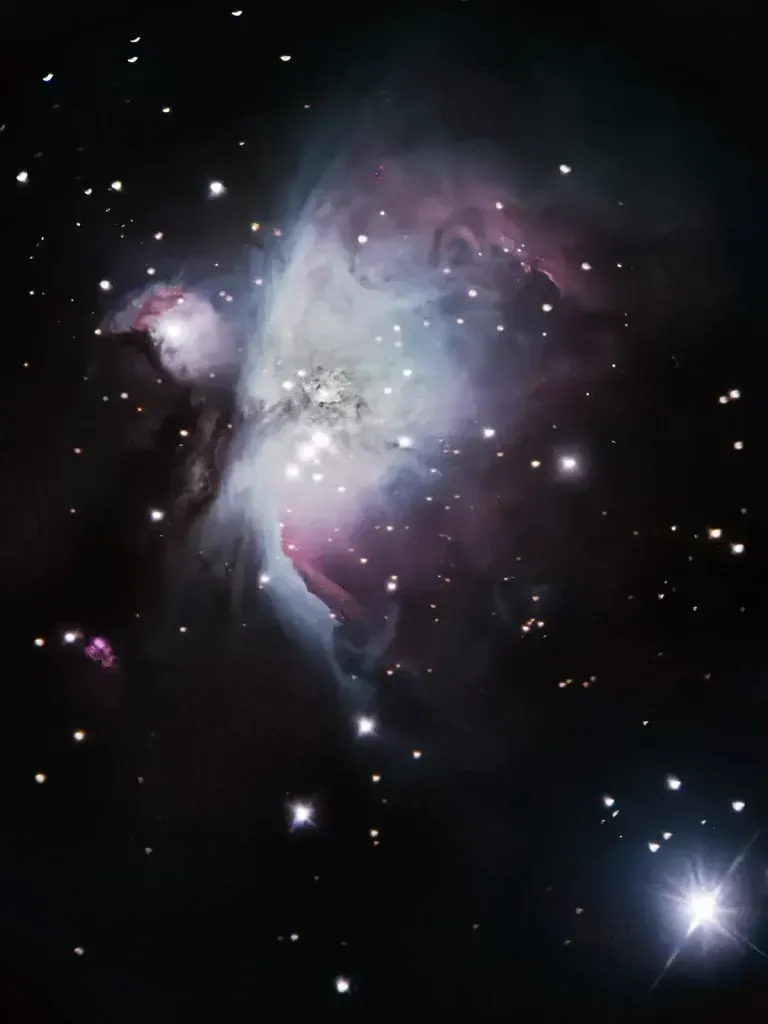
Credit: Debojit Chakrabarty
iPhone 18 Pro vs. iPhone 18 Pro Max for Astrophotography
From a camera-system perspective, the iPhone 18 Pro and iPhone 18 Pro Max offer essentially the same astrophotography capabilities. Both use the same 48MP main camera with a variable aperture, along with the same core rear-camera configuration.
The larger Pro Max model has a 6.9-inch display, compared with the Pro's 6.3-inch screen, and offers greater battery capacity. That can be useful during long outdoor photography sessions, particularly in cold weather, when battery performance can become a concern.
However, the larger model does not automatically produce better night-sky images.
If your primary goal is astrophotography, the standard iPhone 18 Pro may be the more practical purchase. You can put the money saved toward a sturdy tripod, a phone mount, or other accessories that improve stability and shooting convenience.
Is It Worth Upgrading From an Older iPhone?
The answer depends on which model you currently own.
If you have an iPhone 17 Pro
The upgrade is relatively modest from an astrophotography perspective. The iPhone 18 Pro introduces a wider variable aperture and more direct manual controls, but the previous model already offers Night Mode and ProRAW.
If you regularly photograph the Milky Way, the improvements may be worthwhile. If you take occasional pictures of stars while traveling, your existing phone may still be sufficient.
If you have an iPhone 15 Pro or iPhone 16 Pro
The newer camera system may offer a more noticeable improvement, particularly in challenging low-light conditions. However, the extent of that improvement depends on the actual shooting environment, the processing differences between generations, and the quality of your current results.
A tripod and a genuinely dark sky can often make a bigger difference than upgrading your phone alone.
If you have an iPhone 12 Pro or an older model
The newer hardware, computational photography, long-exposure options, and RAW workflow may represent a more substantial step forward. For someone who wants to explore night-sky photography seriously, the iPhone 18 Pro offers a much more capable starting point.
Even so, upgrading is not essential for everyone. Older phones can still capture attractive night-sky images under the right conditions.
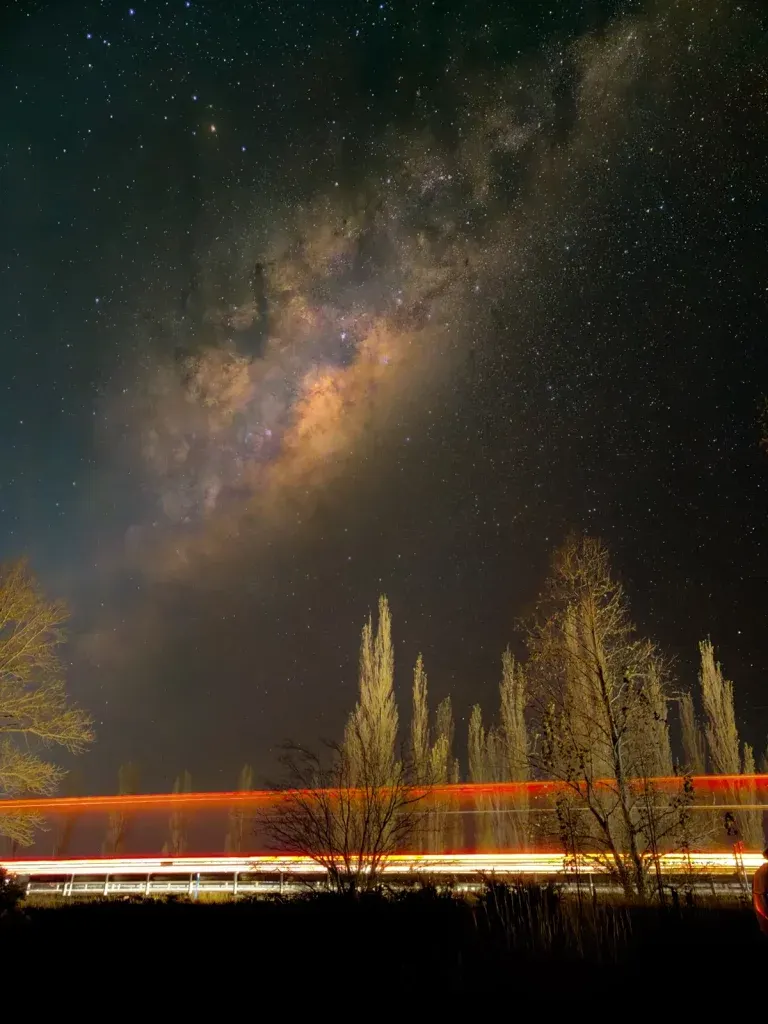
Credit: Debojit Chakrabarty
How to Get Better Astrophotography Results With an iPhone
You do not need professional camera equipment to start photographing the night sky. A few practical steps can significantly improve your results.
- Find a dark location. Get away from streetlights, illuminated buildings, and other sources of light pollution whenever possible.
- Use a tripod. A stable mount helps prevent camera shake during long exposures.
- Start with the main camera. Use the 1x lens for the best balance of light gathering and detail.
- Use Night Mode when appropriate. Select the longest available exposure supported by the scene and your device.
- Shoot in ProRAW. This gives you more flexibility when adjusting exposure, contrast, and color during editing.
- Edit carefully. Avoid pushing shadows too aggressively, as this can make noise more visible.
- Check the Moon's position. Bright moonlight can wash out the Milky Way. A moonless night or a time after moonset is usually a better choice.
- Take several frames. Multiple images give you more opportunities to select the sharpest result and can provide source material for manual stacking.
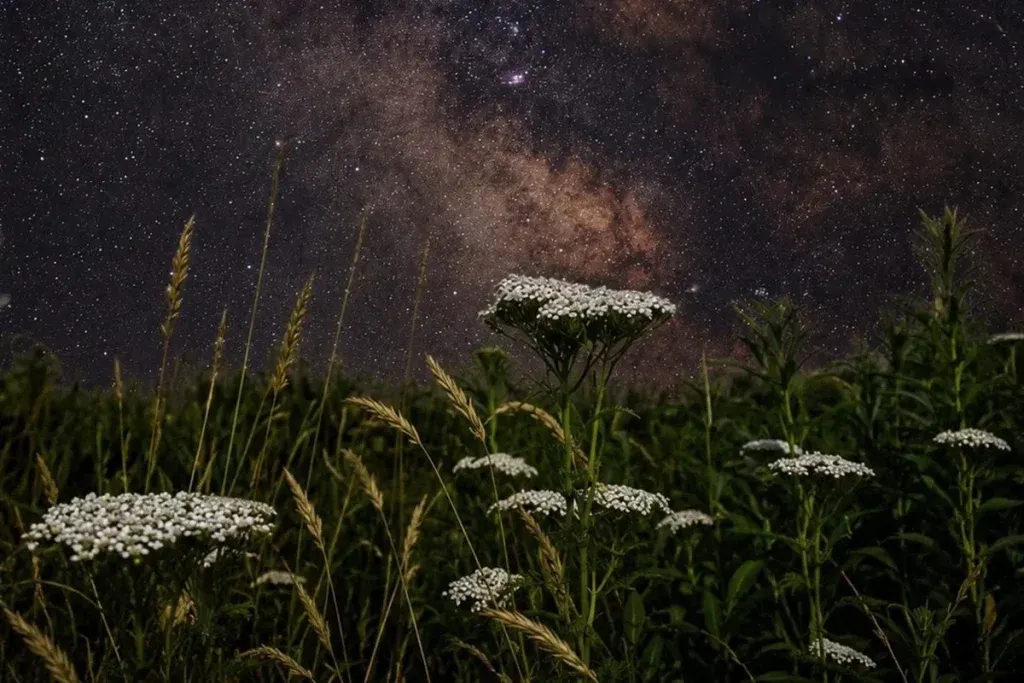
Credit: Ray Mandeville
For Milky Way photography, the location and timing of your shoot are just as important as the camera itself. A dark, clear sky can make a dramatic difference, even when using an older iPhone.